X
wikiHow is a “wiki,” similar to Wikipedia, which means that many of our articles are co-written by multiple authors. To create this article, volunteer authors worked to edit and improve it over time.
This article has been viewed 53,467 times.
Learn more...
Sending or transferring bitcoins from a paper wallet is easy once you know a few of the common pitfalls. Read on to learn how to send bitcoins anywhere in the world quickly.
Steps
-
1Download Blockchain.com or any bitcoin wallet app that supports importing paper wallets to your mobile phone.
- As of December, 2016 the following apps support importing a private key from a paper wallet:
- Blockchain.com
- Airbitz
- Mycelium
- Breadwallet
- For the sake of clarity, this article will use Blockchain.com, although the techniques will be similar on each app.
- As of December, 2016 the following apps support importing a private key from a paper wallet:
-
2Open the app and start creating a new wallet. Follow the instructions provided on the screen of your app.
-
3Write down your back up phrase on a piece of paper, not on a computer. This is a crucial step! Almost all bitcoin wallets will create a 6 -24 word phrase that you can use to backup and restore your wallet. The backup phrase is not the same as the password for your app. If you lose the backup phrase, you may lose your bitcoins forever! In addition, if someone else has access to that backup phrase they can steal all your bitcoins, so secure that phrase like it was a gold nugget.
- Write it on paper with a pen. Do not take a screenshot of the phrase. Do not write or store the phrase on any computer or phone. Computer hackers can easily steal your bitcoins if they find your phrase.
-
4Tap the menu button to start the paper wallet import process. This differs on each app you are using. If you are using Blockchain.com, go to the home page of the app and press the menu icon in the upper left of the screen.
-
5Tap Addresses.
-
6Tap the + icon next to Imported Addresses. This is instructing the app that you want to import another address.
-
7Scan the QR code of your paper wallet's private key with your phone camera. The private key is the collection of around 60 random letters and numbers shown by the QR code. Some paper wallets designate the private key as the "secret" side of the wallet.
-
8Press Transfer Funds. This initiates the process of bringing your paper wallet into your app. If you stop here, your Blockchain app will have access to your paper wallet funds, but the funds will continue to remain on your paper wallet as well. This state isn't secure, so proceed to the next step.
-
9Tap Send. This will send 100% of the funds in your paper wallet to your app. This step will cost you a small amount of bitcoin to pay the bitcoin miners for doing the transaction for you.
-
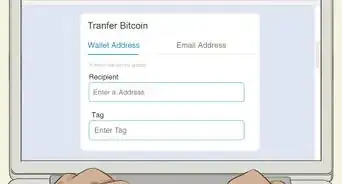
10Congrats! You now have all the contents of your paper wallet on your phone. From here, you can easily send any portion of your bitcoin to any bitcoin address in the world. If you want to send bitcoin to another location, tap send from your app and send the coin to any address you would like.


Community Q&A
-
QuestionHow can I create a paper wallet?
 Community AnswerMost bitcoin-related websites have user friendly interfaces for creating these.
 -
QuestionI'm having trouble transferring a paper wallet transaction into my blockchain wallet. What can I do?
 Community AnswerUse Electrum or any other app where you can have the private keys. Do not use blockchain wallet, as of 20 January 2021, there is no way to keep nor even see your private keys; not your keys, not your BTC, so beware.
 -
QuestionI lost my private key. Is possible to deposit and and get the private key which I lost?
 Community AnswerThe private key is the only way to get access to your bitcoins. Either you have the 12 words passphrase to restore, or impossible. Bitcoin encryption is known for being extremely robust.
 -
QuestionIf I made the Paper Wallet before August 1st 2017, will it retrieve also the other coins?
 Community AnswerAs long as you have the paper wallet and you share it with no one, your bitcoins are safe. A BTC wallet can keep BTC only.
 -
QuestionWhat would I need to do to get a paper wallet to store my Bitcoin in?Community AnswerYou need to be very cautious when generating your paper wallet. Go to a website that proposes the option to do it offline. Once you have loaded the webpage, you can go offline. Generate your paper wallet(s) only when you are offline and print them still being offline. Do not connect to the internet even after having generated your wallets. A single mistake can lead to the loss of your bitcoins. Consider formatting/ reinstalling your system once the operation is done. You can do that also by installing a virtual machine with Virtualbox (easier to delete afterwards). Safety is not random, if your bitcoins are worth worrying about, then follow the advice.