X
This article was written by Jack Lloyd. Jack Lloyd is a Technology Writer and Editor for wikiHow. He has over two years of experience writing and editing technology-related articles. He is technology enthusiast and an English teacher.
The wikiHow Tech Team also followed the article's instructions and verified that they work.
This article has been viewed 2,117 times.
This wikiHow teaches you how to see the version of watchOS that your Apple Watch is using.
Steps
Method 1
Method 1 of 2:On Apple Watch
Method 1
-
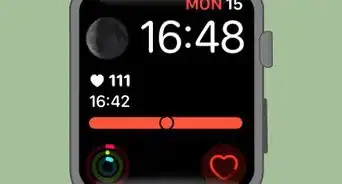
1Press the Digital Crown. It's the dial on the right side of your Apple Watch's face. This will bring up your Apple Watch's list of apps.
- If prompted, enter your passcode to unlock your Apple Watch, then press the Digital Crown again.
- Skip this step if your Apple Watch is already displaying your apps.
-
2Open Settings. Scroll around until you find the Settings app icon, which resembles a grey box with a white gear on it, then tap the app icon.Advertisement
-
3Scroll down and tap General. This option is near the middle of the Settings menu.
-
4Tap About. It's at the top of the screen.
-
5Scroll down to the "Version" heading. This heading is near the middle of the About menu.
-
6Review your Apple Watch's operating system. The number below the "Version" heading is your Apple Watch's operating system.Advertisement


Method 2
Method 2 of 2:On iPhone
Method 2
-
1Open your iPhone's Watch app. Tap the Watch app icon, which resembles a white side profile of an Apple Watch on a black background.
-
2Tap the My Watch tab. This option is in the bottom-left corner of the screen.
-
3Scroll down and tap General. It's in the second group of settings below the list of Apple Watch faces.
-
4Tap About. You'll find it at the top of the "General" page.
-
5Review the "Version" number. The number to the right of the "Version" heading is your Apple Watch's current operating system.Advertisement


Warnings
- Your iPhone must be paired with your Apple Watch in order for it to display your Apple Watch's operating system.Thanks!
Advertisement




About This Article
Article SummaryX
1. Open your Apple Watch's Settings app.
2. Scroll down and tap General.
3. Tap About.
4. Scroll down and look at the number below the "Version" heading.
Did this summary help you?
Advertisement