This article was written by Darlene Antonelli, MA. Darlene Antonelli is a Technology Writer and Editor for wikiHow. Darlene has experience teaching college courses, writing technology-related articles, and working hands-on in the technology field. She earned an MA in Writing from Rowan University in 2012 and wrote her thesis on online communities and the personalities curated in such communities.
This article has been viewed 2,383 times.
This wikiHow will show you how you can look up and listen to top artists on Spotify using your browser, the desktop, or mobile app. You can also use the search feature to find playlists made from your top hits in past years.
Steps
Method 1
Method 1 of 2:Using the Mobile App
-
1Open Spotify. This app icon is a green button with a few curved lines inside that you'll find on one of your Home screens, in the app drawer, or by searching.
- Log in if prompted.
-
2Tap Home (if the tab doesn't open automatically). You'll see this along the bottom of your screen with the icon of a house.
-
3Tap Today's Top Hits. This is a playlist that is curated by Spotify that has songs on it by all the current top and popular artists across Spotify. Artists on this list are the most listened to, downloaded, and rated with a thumbs-up.
- If you want to listen to all the Top Hits of your yearly listening history, you need to tap the search tab at the bottom of your screen and type "Your Top Songs (the year you want to search)" in the search bar. For example, if you want to listen to your top played songs from 2019, tap the "Your Top Songs 2019" playlist in the search results under "Playlists".
-
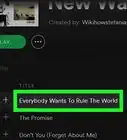
4Tap Preview to see a list of songs that are in the playlist. You can tap the ⋮ button next to a song in the playlist to see more options, like if you want to share the song or view the artist.


Method 2
Method 2 of 2:Using the Desktop Application and Browser
-
1Open Spotify. This app icon is a green button with a few curved lines inside that you'll find either on your desktop, in the Start Menu, or in Finder.
- If you're using a browser, like Chrome, Firefox, or Safari, go to https://open.spotify.com.
- Log in if prompted.
-
2Click Home (if the tab doesn't open automatically when you open the application). You'll see this in the upper left side of the application's window next to an icon of a house.
-
3Click Today's Top Hits. This is a playlist that is curated by Spotify that has songs on it by all the current top and popular artists that you'll find under the header, "Popular Playlists."
- If you want to listen to all the Top Hits of your yearly listening history, you need type "Your Top Songs (the year you want to search)" in the search bar at the top of the window. For example, if you want to listen to your top played songs from 2019, click the "Your Top Songs 2019" playlist in the search results under the "Playlists" heading.




About This Article

1. Open Spotify.
2. Tap Home (if the tab doesn't open automatically).
3. Tap Today's Top Hits.
4. Tap Preview.