wikiHow is a “wiki,” similar to Wikipedia, which means that many of our articles are co-written by multiple authors. To create this article, 132 people, some anonymous, worked to edit and improve it over time.
This article has been viewed 181,659 times.
Learn more...
Are you looking for something specific on wikiHow? Finding an article or a page on wikiHow is very easy to do, and you can learn how by reading this article.
Steps
Method 1
Method 1 of 6:Using the wikiHow Search Bar
-
1Open the wikiHow search bar. This opens when you click above the white line (between wikiHow and the magnifying glass) in the green bar overhead.
-
2Type your query using keywords. Use the main words which you think will be likely to give results containing answers to your question.
-
3Hit the ↵ Enter button of your keyboard to view a list of titles. Alternatively, you can click on the magnifying glass once you have typed your query.


Method 2
Method 2 of 6:Searching For a wikiHow Category
-
1Click on Categories at the upper left of any page.
-
2Click on the most appropriate general category.
-
3Click on the most appropriate sub-category (optional).
- Featured articles appear at the top of a page. Articles that require further editing appear at the bottom of a page.


Method 3
Method 3 of 6:Reading Related wikiHows

Method 4
Method 4 of 6:Exploring Links Woven into Articles

Method 5
Method 5 of 6:Using a Search Engine


Method 6
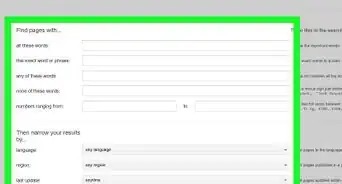
Method 6 of 6:Using wikiHow's Advanced Search Tool
-
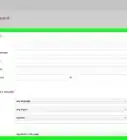
1Go to www.wikihow.com/Special:Search. Note: This tool is only available to registered users and searches all pages, hidden or not hidden.
-
2Type in a search query.
-
3Filter your search.
-
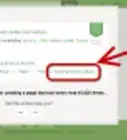
4Click on the red link, if an article does not exist. If it does exist, you will see it as the top search result. If an article exists under a different name, you may want to create a redirect. Simply type in
#REDIRECT [[Target page]].


Community Q&A
-
QuestionCan I edit a title of an article?Yes! However, you have to be a New Article Booster to do so. If you want to suggest a new title, use the template {{title|NAME OF NEW TITLE}}.
-
QuestionAm I able to print out something that I searched?Yes! You can print any articles on wikiHow. For more information, read Print a wikiHow Article.
-
QuestionHow do I ask a question in the Community Q&A?
 Community AnswerGo to the Community Dashboard and use the "Answer Questions" tool. If you are logged in, you will also find questions to answer at the bottom of articles. If there are no questions showing, then nobody has asked anything yet.
 -
QuestionHow would someone who doesn't know how to search find this?
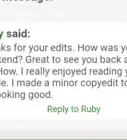
 RubyTop AnswererThe person could have found it in "Related wikiHows" or linked here by another editor. The {{search}} template also links to this article.

About This Article
Searching for wikiHow articles is a great way to find out how to do almost anything you can think of in simple, easy to understand steps. If you want to find out how to do something specific, just click on the search bar at the top of the wikiHow website and search for whatever you want. For example, you could search something like “How to change a lightbulb” or “How to get wine stains out of carpet.” Alternatively, search directly into Google and add ‘wikiHow’ at the end. If you’re just bored or you fancy discovering something new, scroll down on the wikiHow home page and browse featured articles and popular categories, like arts and entertainment, computers and electronics, and relationships. For more tips, including how to use wikiHow’s advanced search tool, read on!