X
This article was written by Darlene Antonelli, MA. Darlene Antonelli is a Technology Writer and Editor for wikiHow. Darlene has experience teaching college courses, writing technology-related articles, and working hands-on in the technology field. She earned an MA in Writing from Rowan University in 2012 and wrote her thesis on online communities and the personalities curated in such communities.
This wikiHow will teach you how to save Snapchat stories from other people that you've been tagged in. If you haven't been tagged in a story posted by someone else, you won't be able to save that story.
Steps
-
1Open Snapchat. The app icon looks like a yellow and white ghost that you'll find in the app drawer or on your homepage.
-
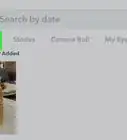
2Tap your profile icon. It's in the top left corner of your screen.
-
3Tap the download icon next to the story you want to save. This looks like an arrow pointing down into an open tray.
- If you don't see this icon, tap the three-dot menu icon and select Save.
- If you don't want to save the whole story, but specific Snaps within it, tap the story's name to expand it, then tap a Snap. When you're viewing the snap, tap the download icon to save it.[1]












About This Article

Darlene Antonelli, MA
Tech Specialist
This article was written by Darlene Antonelli, MA. Darlene Antonelli is a Technology Writer and Editor for wikiHow. Darlene has experience teaching college courses, writing technology-related articles, and working hands-on in the technology field. She earned an MA in Writing from Rowan University in 2012 and wrote her thesis on online communities and the personalities curated in such communities.
How helpful is this?
Co-authors: 3
Updated: August 18, 2021
Views: 242
Categories: Snapchat
Article SummaryX
1. Open Snapchat.
2. Tap your profile icon.
3. Tap the download icon next to the story you want to save.
Did this summary help you?