X
This article was written by Nicole Levine, MFA. Nicole Levine is a Technology Writer and Editor for wikiHow. She has more than 20 years of experience creating technical documentation and leading support teams at major web hosting and software companies. Nicole also holds an MFA in Creative Writing from Portland State University and teaches composition, fiction-writing, and zine-making at various institutions.
The wikiHow Tech Team also followed the article's instructions and verified that they work.
This wikiHow teaches you how to run a setup file, often called Setup.exe, that's saved to your Windows PC.
Steps
-
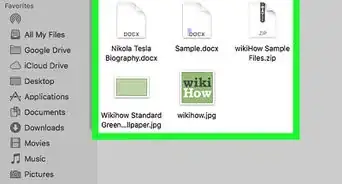
1Press ⊞ Win+E to open the File Explorer. A list of files and folders on your computer will appear.
-
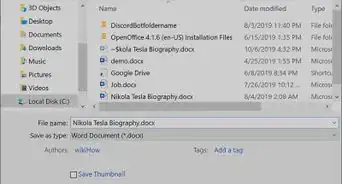
2Open the folder that contains Setup.exe. You can find it by browsing drives and folders in the left panel.
- Setup files often have different names, such as Installer.exe or Install.exe.
- If you can’t find the file, type setup.exe into the search bar at the top-right corner of the file explorer, then press ↵ Enter to display a list of search results.
-
3Double-click Setup.exe. This launches the program.


About This Article

Nicole Levine, MFA
Tech Specialist
This article was written by Nicole Levine, MFA. Nicole Levine is a Technology Writer and Editor for wikiHow. She has more than 20 years of experience creating technical documentation and leading support teams at major web hosting and software companies. Nicole also holds an MFA in Creative Writing from Portland State University and teaches composition, fiction-writing, and zine-making at various institutions.
How helpful is this?
Co-authors: 1
Updated: October 25, 2021
Views: 617
Categories: Windows Files
Article SummaryX
1. Open the File Explorer.
2. Open the folder that contains Setup.exe.
3. Double-click Setup.exe.
Did this summary help you?