wikiHow is a “wiki,” similar to Wikipedia, which means that many of our articles are co-written by multiple authors. To create this article, volunteer authors worked to edit and improve it over time.
This article has been viewed 54,602 times.
Learn more...
How cool would it be if you could ride a dragon? On Skyrim, you can experience this for yourself! You can take hold of the beast and ride it wherever you'd like to go on the Skyrim map. Riding a dragon is a really fun thing to experience while playing the game, and it's very simple to do too.
Steps
-
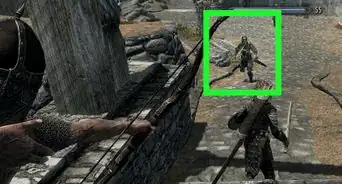
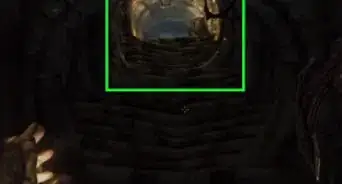
1Find a dragon. Roam around the open world of Skyrim. Keep an eye out on the sky for any signs of a dragon flying. Once you find one, go towards the direction where you see the dragon.
-
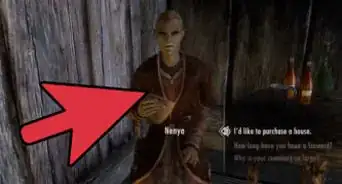
2Use the Bend Will shout. Once you're near the dragon, open your in-game menu and select “Magic.” Choose “Shouts” from the menu panel on the right-hand side of the game screen and select “Bend Will.”
- Aim at the dragon and press the “Action” button to use the shout against the monster. The dragon will land on the ground without attacking you.
- If you don't have the Bend Will shout, you can get it by completing the “Garden of Men” quest—the sixth mission in Skyrim's main storyline.
-
3Mount the dragon. Approach the dragon and press the “Ride” button prompted on the game screen to mount the beast. Once you're on its back, the dragon will automatically take flight.
-
4Control the dragon while flying. You can steer the beast by pressing the direction keys on your controller. You can go either left or right, upward or downward.
-
5Have the dragon attack targets. While you're riding a dragon, you can order it to attack targets using its fire breath. Once you find a target, press and hold the “Lock” button on your game controller to fix your camera focus on the mark.
- Once you've locked on your prey, press and hold the “Attack” button to make your dragon breath fire at your target. You can incinerate and kill your mark in one attack, depending on its character level.
-
6Dismount. Once you've arrived at your location or you're ready to get off, press the “Land” button on your controller and the dragon will slowly descend to land. Once it touches the ground, your character will automatically dismount the dragon and go back to walking.
- After dismounting the dragon, you can either leave it alone or kill it.


Community Q&A
-
QuestionI ride a dragon but I can't control the dragon. I've tried all the action keys. What do I do?
 Community AnswerIt is impossible to control a tamed dragon, unfortunately. The dragon will still be controlled by the A.I.
 -
QuestionCan I do this without a DLC?
 Community AnswerIt is only possible to "bend will" with certain mods without the Dragonborn DLC.
 -
QuestionWhich button is the dismount button on a PS4?Community AnswerIt's the same button you use to get on the horse.
-
QuestionI dont have a controller, I use a PC keyboard. How do I control the dragon's flight? I've tried a frost, revered an ancient dragon so far but they just go round in circles.
 NightingaleCommunity AnswerYou can’t control or steer a tamed dragon. The artificial intelligence is the one controlling the dragon.
 -
QuestionThe shout is much harder to get than it sounds. How do I get all three parts of the Bend Will shout?
 Community AnswerYou have to complete the full main Dragonborn DLC questline to unlock the full shout.



About This Article
1. Find a dragon.
2. Open the menu and select Magic.
3. Select Shouts.
4. Select BEND WILL.
5. Aim at the dragon and press the ″Action″ button.
6. Approach the dragon and select Ride.