X
This article was written by Nicole Levine, MFA. Nicole Levine is a Technology Writer and Editor for wikiHow. She has more than 20 years of experience creating technical documentation and leading support teams at major web hosting and software companies. Nicole also holds an MFA in Creative Writing from Portland State University and teaches composition, fiction-writing, and zine-making at various institutions.
This article has been viewed 4,844 times.
This wikiHow teaches you how to properly restart an Xbox One.
Steps
Method 1
Method 1 of 2:Restarting from the Guide
Method 1
-
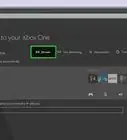
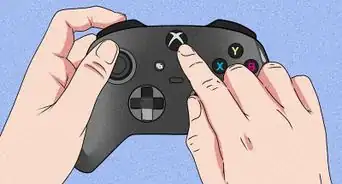
1Press the Xbox button on your controller. It’s the round button with a curved ″X″ on it. This button opens the guide from any screen.[1]
- If your Xbox is frozen or you can’t get to the guide, see this method instead.
-
2Select Settings.
-
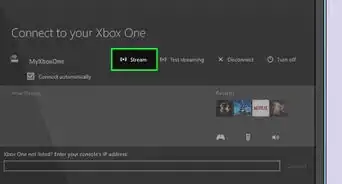
3Select Restart console. A confirmation message will appear.
-
4Select Yes. This confirms that you want to restart. Your Xbox will turn off and then turn back on.[2]


Method 2
Method 2 of 2:Power-cycling the Xbox
Method 2
-
1Press and hold the Xbox button for 10 seconds. If you’re unable to restart from the guide, this is another way to restart your Xbox. Holding the button down for 10 seconds will turn off the unit.[3]
-
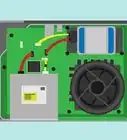
2Unplug the power cable. Leave the Xbox disconnected from power for 10 full seconds.
-
3Plug the power cable back in after 10 seconds. This resets the power supply.
-
4Press the Xbox button to turn the unit back on. If you don’t see the green animation that displays when you start up the unit, hold the Xbox button down again for 10 seconds to turn it back off, and then try turning it back on again.



References
About This Article

Nicole Levine, MFA
Tech Specialist
This article was written by Nicole Levine, MFA. Nicole Levine is a Technology Writer and Editor for wikiHow. She has more than 20 years of experience creating technical documentation and leading support teams at major web hosting and software companies. Nicole also holds an MFA in Creative Writing from Portland State University and teaches composition, fiction-writing, and zine-making at various institutions. This article has been viewed 4,844 times.
Co-authors: 16
Updated: March 29, 2019
Views: 4,844
Categories: Xbox One
Article SummaryX
1. Press the Xbox button.
2. Select Settings.
3. Select Restart Console.
4. Select Yes.
Did this summary help you?