This article was written by Darlene Antonelli, MA. Darlene Antonelli is a Technology Writer and Editor for wikiHow. Darlene has experience teaching college courses, writing technology-related articles, and working hands-on in the technology field. She earned an MA in Writing from Rowan University in 2012 and wrote her thesis on online communities and the personalities curated in such communities.
This article has been viewed 141,335 times.
Pokémon Platinum is the third game version (after Diamond and Pearl) released during the fourth-generation core series and was released in September 2008. Starting and playing the game is quite easy to follow, just like with the recent versions. But if you already have a saved game and you want to start a new one, restarting might be a little difficult because there isn't any direct option or button that lets you create a new game. But then again, it’s still possible to create a new save game.
Steps
-
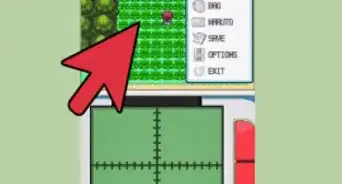
1Load Pokémon Platinum on your Nintendo DS or Nintendo 3DS/2DS. Select it from the list of games installed on your portable game console to launch it and wait for the title screen to appear.
-
2Press the following buttons simultaneously: UP + SELECT + B button. Use the your DS/3DS/2DS’ directional and action buttons to press the buttons, and do it once the title screen shows up. Remember, press these buttons all at the same time, not serially.
- A prompt will appear and ask for confirmation if you really want to delete the saved game.
-
3Delete your previously saved game. To completely delete your game, select “YES.” Once you confirm, Pokémon Platinum will reload and your previous game progress will be deleted.
-
4Restart Pokémon Platinum. After the game reloads, press “Start” on the title screen to proceed to the game menu.
- Congratulations! You can now create a new game and choose which starter Pokémon to use!


Community Q&A
-
QuestionIs there a way to get the old data back?
 Pokedex personCommunity AnswerNo. There is no way to retrieve your old data.
 -
QuestionEvery time I start up the game and I press start, it instantly starts a new game even if I have saved data already. How do I fix this?
 Community AnswerIf you have already played through on that game card, you may need to restart the game by pressing UP + SELECT + B on the first menu screen. Follow the prompts after that.
 -
QuestionWhat do I do with my copy of Pokemon Platinum that will not delete the saved data? Every time I try to delete it and start a new game, even after saving the new game, when I power off and get back on, the old saved file remains. Is the game broken?
 Community AnswerThe game will not let you overwrite data if you pressed "New Game" after the title sequence.
 -
QuestionWhat if the game just takes me back to the title screen?
 Community AnswerOnce you do everything above, it will take you back to the very start of the title screen. That is what it is supposed to do.
 -
QuestionHow do I restart Pokemon SoulSilver?
 Community AnswerYou press "restart" or "new game". Then you continue until you can save. Once you reach a point when you can save, press the Save button (make sure you hit it a few times. Sometimes the save doesn't work for some weird reason). After that, test to see if your data has restarted.
 -
QuestionI have tried this process many times, but still can't restart it. It keeps going to the menu. I am using an emulator. What should I do?Community AnswerEmulators are different. You have to delete the file and emulator and reinstall them.
-
QuestionI bought a used version of Platinum from Gamestop and every time I save and close out, it restarts the game. I did the Up, B, Select method and deleted the saved file and still keeps restarting. What should I do?Community Answer2 options: Buy a new gamecard online or send it to Gamestop. If they don't send it back, just buy another gamecard online.











References
About This Article

1. Load Pokémon Platinum on your Nintendo DS or Nintendo 3DS/2DS.
2. Press UP + SELECT + B buttons simultaneously.
3. Select “YES" twice to confirm.
4. Restart Pokémon Platinum.