This article was written by Travis Boylls. Travis Boylls is a Technology Writer and Editor for wikiHow. Travis has experience writing technology-related articles, providing software customer service, and in graphic design. He specializes in Windows, macOS, Android, iOS, and Linux platforms. He studied graphic design at Pikes Peak Community College.
The wikiHow Tech Team also followed the article's instructions and verified that they work.
This article has been viewed 8,254 times.
This wikiHow teaches you how to factory-reset your Apple Watch, which will remove all settings, apps, and information from the Apple Watch. You can perform this process both from the Apple Watch and from the Apple Watch-synchronized iPhone. Keep in mind that resetting your Apple Watch erases everything that's currently on the Apple Watch.
Steps
Method 1
Method 1 of 2:Using the Apple Watch
-
1Wake up your Apple Watch. Raise your wrist—or press either of the buttons on the right side of the Apple Watch's screen—and enter the passcode if prompted.
- If you need to reset a locked Apple Watch without its passcode, hold down the Power button until the menu appears, force-press the screen for a few seconds, tap Erase all contents and settings at the top of the screen, and tap the green ✓ in the bottom-right corner of the screen to force-reset the Apple Watch.
-
2Press the Power button. It's on the right side of the Apple Watch's screen, just below the Digital Crown dial. Doing so will open the app list.Advertisement
-
3Tap All Apps. This option is at the bottom of the screen. The app page will open.
-
4Find and open the Settings app. Tap the Settings app icon, which resembles a white gear on a grey background.
-
5Scroll down and tap General. You'll find this option in the middle of the page.
-
6Scroll all the way down and tap Reset. It's at the very bottom of the General page.
-
7Tap Erase All Content and Settings. It's a grey button at the top of the screen.
-
8Enter your passcode. When prompted, type in the passcode that you use to unlock your Apple Watch.
-
9Scroll down and tap Erase All. This red-text button is at the bottom of the page. Tapping it will prompt your Apple Watch to begin erasing itself.
-
10Wait for the watch to reset. It can take several minutes for the Apple Watch to reset. When it finishes, it will display the initial setup screen.
- Once the Apple Watch finishes resetting, you can set it back up if you like.
Advertisement


Method 2
Method 2 of 2:Using a Paired iPhone
-
1Open the Watch app on your iPhone. Tap the Watch app icon, which resembles a black-and-white side view of an Apple Watch.
-
2Tap My Watch. It's in the bottom-left corner of the screen.
-
3Scroll down and tap General. You'll find this option near the middle of the page.
-
4Scroll all the way down and tap Reset. It's at the very bottom of the General page.
-
5Tap Erase Apple Watch Content and Settings. This option is at the top of the Reset page.
-
6Tap Erase All Content and Settings when prompted. It's a red-text option at the bottom of the screen.
-
7Tap Erase All Content and Settings when prompted again. This red-text option will appear at the bottom of the screen.
-
8Enter your Apple ID password. In the text box that appears, type in the password that you use to log into your Apple account.
-
9Tap Erase. It's in the bottom-right corner of the text box. Doing so will prompt your paired Apple Watch to begin resetting itself.
-
10Wait for the watch to reset. It can take several minutes for the Apple Watch to reset. When it finishes, it will display the initial setup screen.
- Once the Apple Watch finishes resetting, you can set it back up if you like.
Advertisement


Warnings
- You will lose all of the data on your Apple Watch when you factory-reset it, so make sure that you have all data that you want to save backed up to your iPhone.Thanks!



About This Article

1. Connect your Apple Watch to its charger.
2. Make sure that the Apple Watch is locked.
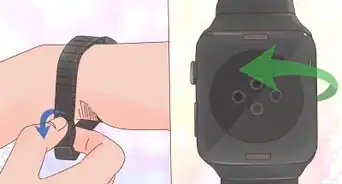
3. Press and hold the Power button.
4. Force-press the screen for one second.
5. Tap Erase all contents and settings
6. Tap ✓