X
wikiHow is a “wiki,” similar to Wikipedia, which means that many of our articles are co-written by multiple authors. To create this article, 9 people, some anonymous, worked to edit and improve it over time.
This article has been viewed 59,568 times.
Learn more...
Performing a reset on an Android tablet will wipe all personal data and restore the device back to its original factory settings, which can be helpful if you want to sell your device or correct any operating system malfunctions. The reset option can be found within the Settings menu on any Android tablet.
Steps
-
1Back up any photos or videos you want saved. Resetting your tablet will erase all personal data, so you must store any media you want saved either to your SD card, your computer, or to a cloud backup program such as Dropbox.[1]
-
2Back up all contact information. Performing a reset will delete all information from your Contacts folder.
- Navigate to “Contacts,” select “Menu,” then select the option to copy contact information to your SIM card or SD card.
- Alternately, you can sync your Contacts folder with Google by navigating to “Contacts,” tapping on “Menu,” and selecting “Accounts.”
-
3Tap on “Menu” and select “Settings” from the Home screen of your Android tablet.
-
4Tap on “Privacy” and select “Factory data reset.”
- Back out of “Privacy” and select “Storage” from the Settings menu instead if you do not see the Factory data reset option listed under Privacy.
-
5Remove the checkmark from the box next to “SD card” to avoid deleting any personal data from your SD card.
- Leave the checkmark next to “SD card” if you want your SD card wiped along with your tablet.
-
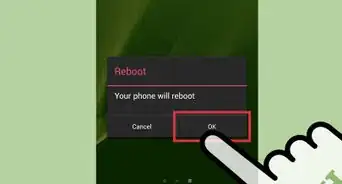
6Tap on “Reset device.” Your Android tablet will wipe itself and reboot after it has been restored to its original factory settings.


Community Q&A
-
QuestionWhy does my tablet flicker every time I start it up and never turn on?
 Community AnswerIf it's android, then it is in boot loop. Try to go into boot settings and wipe the partition.
 -
QuestionMy tablet keeps restarting. How can I resolve the problem?
 Akash SawarkarCommunity AnswerTry flashing a stock ROM in it by using a flash tool. Download a flash tool for your specific device model.
 -
QuestionHow do I reset my Dell tablet?
 Community AnswerTry holding down the Power On/Off button. The menu may pop up for either Power Down or Off, and Reset.
 -
QuestionI cannot use my tablet, because it says "unfortunately kids place has stopped." How do I make it normal?
 Community AnswerTry a factory reset. It may delete everything, but it may work too! If that doesn't work, try reinstalling the program.