This article was written by Nicole Levine, MFA. Nicole Levine is a Technology Writer and Editor for wikiHow. She has more than 20 years of experience creating technical documentation and leading support teams at major web hosting and software companies. Nicole also holds an MFA in Creative Writing from Portland State University and teaches composition, fiction-writing, and zine-making at various institutions.
The wikiHow Tech Team also followed the article's instructions and verified that they work.
This article has been viewed 167,952 times.
This wikiHow teaches you how to report a YouTube channel or user for violating YouTube's terms of use. Since you can't report a channel from within the YouTube mobile app or a mobile browser, you'll need to use a computer for this task.
Steps
-
1Go to https://www.youtube.com in a web browser. This will open your YouTube dashboard if you're logged in. If you aren't logged in, click SIGN IN, then enter your email address and password when prompted.
-
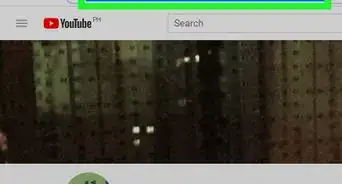
2Search for the channel. Type the channel's name into the search bar at the top of the page, then press ↵ Enter or ⏎ Return.
-
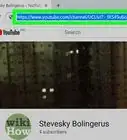
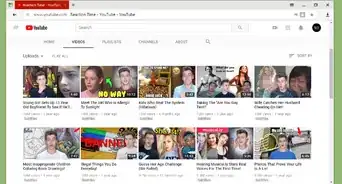
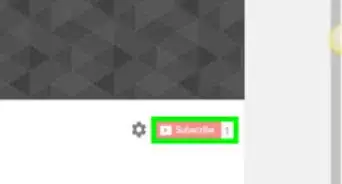
3Click the channel. Channels are the options that have SUBSCRIBE or SUBSCRIBED buttons on the far-right side of the channel's page.
- If you don't know the name of the channel, search for a video posted by the channel, click the video, and then click the channel's name below the video.
-
4Click the ABOUT tab. It's at the top of the channel's page.
-
5Click the flag icon. It's under the "Stats" header on the right side of the page. A menu will expand.
-
6Click Report user. It's in the drop-down menu. A pop-up window will appear.
-
7Select a reason for reporting the channel. Choose the reason that best describes why the channel violates YouTube's guidelines.
-
8Click REPORT. It's at the bottom of the window.
- If you choose PRIVACY, or NONE OF THESE ARE YOUR ISSUE, you'll be redirected to a page that displays applicable policies. To report the channel, you'll have to choose a different option.
-
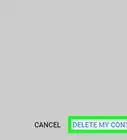
9Fill out the form(s). This is where you'll have the opportunity to add details about your reason for reporting this channel. The options will vary depending on the reason you selected. Once the form is filled out, the channel's URL will appear at the bottom of the screen with a "Continue" button.
-
10Click Continue to complete the report. Once your report is filed, a YouTube staff member will review the channel. If the issue is found to be serious and/or the channel owner is a repeat offender, YouTube will terminate the channel.[1]


Community Q&A
-
QuestionHow can I report an older YouTube channel that posts blasphemous content?
 Community Answer"Blasphemous" content is not against the YouTube terms of services. People are permitted to post whatever they like with regard to religious or anti-religious content as an extension of the freedom of speech. If you don't like what someone is saying, don't watch their channel.
 -
QuestionHow do I report someone on mobile?
 Community AnswerIn most cases, when you click on a video (on the app), you should see three dots or “prongs.” Click on those. There will be a pop-up with options like “Quality,” “Captions,” “Report,” etc. Just click “Report.”
 -
QuestionWill a reported channel on YouTube be removed?
 Community AnswerYouTube staff will decide whether or not the channel will be removed. If only one video is inappropriate, that one video will be removed and the creator will be notified. If enough people report the creator's videos and their channel is inappropriate, the channel may be removed.
 -
QuestionWhat do I do if someone stole my content and is using it on YouTube?Community AnswerReport them by following the steps in the article.
-
QuestionHow do I report a channel on YouTube if it doesn't have an About page?Community AnswerLook for the flag symbol near the Subscribe button on the channel's homepage.
-
QuestionCan I report a Youtube channel that has cyberbullied on multiple social media accounts?
 Community AnswerIf it isn't tied to that specific YouTube account or the offending content isn't on YouTube itself, then reporting it won't be helpful as the conduct needs to be on YouTube itself. Contact the other media companies to make your complaint.
 -
QuestionWhat do I do if a YouTube channel is posting copyrighted videos?Community AnswerAlert the owner of the copyright and report the video using the report button.
-
QuestionWhat do I do to send a report on something if there isn't the usual flagging icon?Community AnswerYou will need to be signed in to an account in order for the flag icon appear. Otherwise, it will not appear.
-
QuestionWhat do I do if a YouTube channel is posting copyrighted videos from multiple sources?Community AnswerAlert the copyright owners and report the video using the report button. Most likely YouTube won't take any action but the company that represents the content or content creator will be alerted and can proceed to file a claim against the uploader.
Warnings
- Falsely reporting a channel can result in your channel being suspended or removed from YouTube.[2]Thanks!


References
About This Article

1. Sign into YouTube.com.
2. Go to the channel.
3. Click the ABOUT tab.
4. Click the flag icon.
5. Click Report user.
6. Select a reason.
7. Click REPORT.
8. Fill out the form.
9. Click Continue.