X
wikiHow is a “wiki,” similar to Wikipedia, which means that many of our articles are co-written by multiple authors. To create this article, volunteer authors worked to edit and improve it over time.
This article has been viewed 85,013 times.
Learn more...
In the following instructions, this article will explain how to remove your old IDE DVD drive and replace it with a new Serial ATA (SATA) DVD drive. Switching to a SATA drive will reduce the bulk of cables in your computer, and SATA offers increased speeds for data transfer. Most new motherboards have several SATA ports, but if yours does not, adapters are available for IDE ports.
Steps
-
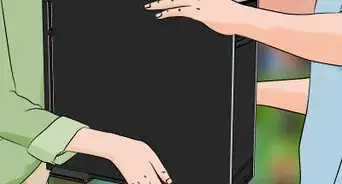
1Remove the left panel of the case by removing the two Phillips head screws at the back of the case and using the handle to remove the left panel.
-
2Disconnect the power connection and the IDE ribbon from the back of the DVD drive.
-
3Disconnect the IDE ribbon from your motherboard.
-
4Hold in the two clips on either side of the DVD drive out the front of the tower.
-
5Carefully slide the DVD drive out of the case.
-
6Remove the mounts from both sides of the DVD drive by removing the four Phillips head screws (two on each side).
-
7Install the mounts on your SATA DVD drive.
-
8Insert your SATA DVD drive in the front of the case until the clips snap into place.
-
9Connect the SATA cable to the back of the DVD drive and to your motherboard (see image for step 2 for position of SATA ports).
-
10Connect the power supply cable to the back of the SATA DVD drive.
-
11Replace the left panel of the tower by sliding it back into place and replacing the two screws.


Community Q&A
-
QuestionI cannot get my DVD drive to work. Windows 10 insists it is working correctly. Any ideas?
 Community AnswerShut the machine down and make sure the data and power leads are secure by removing them and reconnecting them, then reboot. Go into Device Manager and double-click "DVD/CD-ROM drives." If the drive is listed, right click the name of the drive and "Uninstall Device." Then right click on "DVD/CD-ROM drives" and scan for hardware changes and the system should pick it up and reinstall it.
Warnings
- Turn off and unplug your power supply to avoid the possibility of electrocution.Thanks!
- Wear an anti-static wrist bank to avoid delivering an electrostatic shock to an any electrical components.Thanks!
Things You'll Need
- Computer with IDE DVD Drive
- Motherboard with SATA ports
- Phillips head screwdriver
- SATA DVD Drive