X
wikiHow is a “wiki,” similar to Wikipedia, which means that many of our articles are co-written by multiple authors. To create this article, 13 people, some anonymous, worked to edit and improve it over time.
This article has been viewed 118,360 times.
Learn more...
The high contrast themes change the background to black and the text to white. This high contrast theme is vastly easier on the eyes and reduces eye strain. If you're looking at a monitor for extended periods, this will make your day easier. It will seem weird at first, but give it a try! You will wish you had found this sooner! There are three pre-made high contrast themes built into Windows 7. The change can be done easily and quickly. Just a few clicks.
Steps
Part 1
Part 1 of 2:Understanding How High Contrast Reduces Eye Strain
Part 1
-
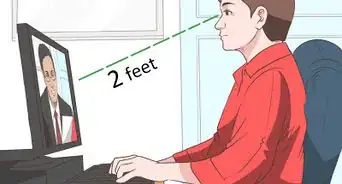
1Note that monitors have a backlight. When you look at your monitor, you are essentially staring into a lamp. If you do this for extended periods, you can understand how this would fatigue your eyes. The default windows setting has an incredible amount of bright white areas. Keep in mind that white on a computer monitor is not like white on paper. A computer monitor is white because it's a lamp - a light source.Advertisement
-Intro.jpg)
Part 2
Part 2 of 2:Switching to High Contrast
Part 2
-Step-1.jpg)
-Step-2.jpg)
-Step-3.jpg)












About This Article
Advertisement