X
wikiHow is a “wiki,” similar to Wikipedia, which means that many of our articles are co-written by multiple authors. To create this article, 17 people, some anonymous, worked to edit and improve it over time.
The wikiHow Tech Team also followed the article's instructions and verified that they work.
This article has been viewed 162,981 times.
Learn more...
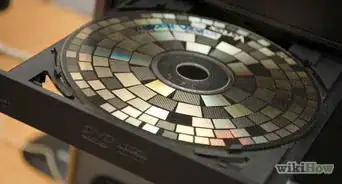
There are a number of ways you can record data on a CD. You can copy your data, songs, videos, and images onto a CD, using CD burner software. Here are the specific guidelines to record data on a CD.
Steps
-
1Get a CD writer drive installed on your machine (or accessible through the network).
-
2Get a writable CD disk of a good brand, such as Smart Buy, of Maxell. Writable CD disks have a CD-RW label on them.Advertisement
-
3Install the CD burner software that is usually shipped with your CD writer drive. Alternatively, you can use any popular CD burner software (such as Nero).
-
4Insert the CD into the CD writer. In many cases, this will automatically launch your CD burner software. If it does not, you can run the software manually. All the CD burner software titles usually have the same interface and follow the same procedures.
-
5Run the CD copy wizard, and select "Compile New CD."
-
6Select the type of CD you want to create (Data CD, Audio CD, or Others).
-
7Add the files that you want to record. You can add or remove files from the software explorer window.
-
8If you want to record more files than can fit of a CD, your software may advise you to use more than one disk.
-
9If you use CD-RW disks, you should record as many files as possible because you may only record files to a disk one time.
-
10Click on "Write CD." This wizard may ask you few more questions.
-
11The CD will start burning. Do not interrupt this process.
-
12Once the burning is finished, remove the CD from the tray and label it appropriately.Advertisement


Community Q&A
-
QuestionHow do I record a CD to my computer?
 Community AnswerYou could use a program like iTunes or Windows Media Player to rip the CD to the computer.
 -
QuestionHow do I send an audio recording by email?Community AnswerYou send it as an attachment in the email: open up an email message, click "add an attachment," click the audio recording you would like to send, and send your email.
-
QuestionHow do I record music from YouTube to a disc?Community AnswerUse some kind of converter to convert the Youtube video into a music file (.mp3, .flac,...) and then use these methods.
-
QuestionDo I need to finalize a CD to be sure it will play on other devices?
 Community AnswerDifferent devices play or read media/data in different formats. Make sure the media/data you have is in the same format as the device you want to run it on. After confirming this, you should transfer the media/data to a CD. Just focus on the data or media format before finalizing the CD.
 -
QuestionHow do I finalize a CD?Community AnswerWindows Media Player in Windows 7, Real Player, and iTunes have the ability to finalize a disc. Also, most notably, imgBurn.
Warnings
- Make you sure you either have permission or own the music you are copying and do not violate copyright laws.Thanks!
Advertisement

About This Article
Advertisement