X
wikiHow is a “wiki,” similar to Wikipedia, which means that many of our articles are co-written by multiple authors. To create this article, volunteer authors worked to edit and improve it over time.
This article has been viewed 11,057 times.
Learn more...
Throughout this presentation you will learn how to use the Horizon software on your PC/Mac/Laptop to read files, and/or transfer files and put them on the web for others to download. This can take a little while depending on the Internet speed and the type of computer you use.
Steps
Method 1
Method 1 of 3:The Laptop Portion: One
Method 1


Method 2
Method 2 of 3:Xbox portion 1
Method 2
-
1When you sign in on your account, go to the settings, then to storage. For the next step, you will need a USB drive configured to the Xbox Settings.
-
2Look for the file using your account. You want to read on the computer belongs to. Than transfer it over to the USB along with the file.
-
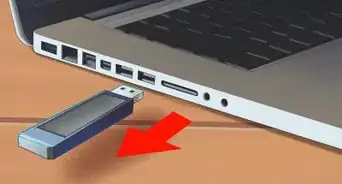
3Take the USB out of the Xbox and go back to your computer.


Method 3
Method 3 of 3:Laptop: 2
Method 3
-
1Have your Horizon program open, and plug in the USB drive, it will give you an option to use the file. You can than upload the file to the Internet and another program you wish to open it with.
- Some programs claim they can read Xbox files but you do not want to reconfigure the device settings because it will than delete all the files from the Xbox. If they ask for the device to reconfigure, try a different type of program and see if this will work. (This can take you a long time to do).

Warnings
- This program has been know to cause viruses to download. It is recommended that you scan the computer before and after downloading the Horizon program. If you are getting the program from any other site than one that has Horizon: Xbox Modding Tool on the top, you will get viruses no matter what, even if the website says no.Thanks!





References
- Xbox Modding Tool