X
wikiHow is a “wiki,” similar to Wikipedia, which means that many of our articles are co-written by multiple authors. To create this article, volunteer authors worked to edit and improve it over time.
Learn more...
Data tracking and identity theft have become remarkably common in today’s technology-oriented world. However, as individuals find more ways to steal your information, new methods for protecting your digital presence are being created. This wikiHow article will teach you how to keep your data and identity as secure as possible online.
Steps
Method 1
Method 1 of 16:Use strong and varied passwords.
Method 1
-
1Create a new, secure password for each of your accounts online. If someone gets your password for one site, you are much more vulnerable if you use that same password on other platforms as well. Strong passwords often consist of a variety of characters including both uppercase and lowercase letters, numbers, and special characters.
- Consider using a password manager to generate and track passwords for all of your accounts.
Advertisement

Method 2
Method 2 of 16:Lock your devices.
Method 2
-
1Password-protect your electronics to prevent others from easily gaining access. As above, try to create a strong password using a variety of characters or a password manager. Ideally, you should use a biometric security mechanism like scanning your fingerprint or face for the highest level of protection.
- Also consider enabling remote tracking for your devices in case they are ever lost or stolen. You can track them with apps like Find My from Apple or Find My Device from Google.

Method 3
Method 3 of 16:Look out for scams, phishing, and suspicious links.
Method 3
-
1Do not click on suspicious links or give out personal information without doing your research. Phishing and scams are ever-present threats online. Before typing confidential information on a web page, allowing someone remote access to your computer, or even clicking a suspect link, research the company or individual contacting you.
- Phishing scams will often spoof email addresses in an attempt to gain credibility. If you receive a suspicious email, try contacting the apparent sender to verify its legitimacy.
Advertisement

Method 4
Method 4 of 16:Update your software and devices.
Method 4
-
1Install updates to increase the security of your programs, phones, and computers. Most updates include security patches, which fix existing vulnerabilities in your software. For that reason, it is important to stay on top of new updates to minimize the danger to your information and identity.
- The only time you might consider waiting to update for a few days is with larger updates to your device’s operating system. New security vulnerabilities often become apparent within hours of a big update, so try reading the update notes to see if it patches existing security issues, then decide if you should temporarily avoid updating.

Method 5
Method 5 of 16:Install security software.
Method 5
-
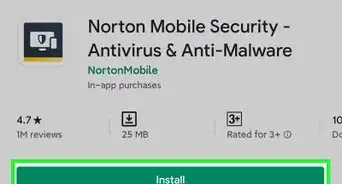
1Download antivirus, anti-spyware, and anti-malware programs for maximum security. While three types of security software may seem intense, each does different things to keep your computer and digital activity safe. Do some research to determine which products are right for your machine and your security needs.
- Some companies provide security suite bundles that include the three tools listed above and more, provided you are willing to pay a little extra.
Advertisement

Method 6
Method 6 of 16:Secure your social media.
Method 6
-
1Review each post for sensitive content and check your privacy settings. Giving away personal information online makes you much more vulnerable, so you should carefully consider what you are sharing in each post to your social media accounts. Additionally, changing the privacy settings of your accounts on platforms like Instagram, TikTok, and Snapchat can keep you and your information much safer.

Method 7
Method 7 of 16:Use two-factor authentication.
Method 7
-
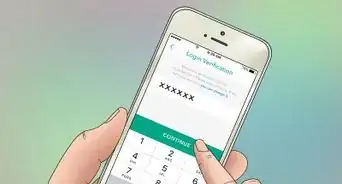
1Set up extra authentication steps for your accounts. Two-factor authentication, or 2FA, requires you to confirm your identity in two distinct ways when logging into your account. By requiring something more than just a password, like face ID or approval through a mobile app, your account becomes much more secure.[1]Advertisement

Method 8
Method 8 of 16:Encrypt your documents.
Method 8
-
1Password-protect files on your computer containing sensitive information. If someone ever steals your computer or manages to gain remote access to your machine, encrypting your files will provide another layer of security for your data.

Method 9
Method 9 of 16:Install a VPN.
Method 9
-
1Download and enable a virtual private network to protect your browsing data. VPNs will disguise your Internet traffic by securely sending it to a server in a different location, essentially hiding your own location and data. They are particularly useful when working on unsecured public Wi-Fi networks such as those in coffee shops, at airports, and so on.[2]
- Choosing a good VPN is very important. Some VPNs will continue to sell your data, defeating the point of the VPN, so be sure to research the available options before making your choice.
Advertisement

Method 10
Method 10 of 16:Shop on reputable websites.
Method 10

Method 11
Method 11 of 16:Install privacy-protection extensions.
Method 11
-
1Block ads and data trackers using extensions. In response to the data collection of many ads and sites, individuals have developed free and paid extensions you can install on your browser to secure your data.
- Many ad blockers have the option to disable ad blocking on safe sites you would like to support.
Advertisement

Method 12
Method 12 of 16:Secure devices in your home.
Method 12
-
1Set strong passwords for your smart devices to prevent easy access for hackers. Once you have set up a smart device, you should always change the default password, especially for your modem. Finding these default passwords online is a breeze, and leaving them unchanged on your modem makes it much simpler for others to compromise your Wi-Fi.

Method 13
Method 13 of 16:Change your browser.
Method 13
-
1Install a privacy-oriented browser. Often, your computer’s default browser is not the most secure. Try checking secure browser rankings for a browser that will keep you better protected and is compatible with your operating system.Advertisement

Method 14
Method 14 of 16:Encrypt your computer.
Method 14
-
1Protect your hard drive from prying eyes by encrypting it. Encryption is a way to encode data so it can only be read by those who have access to a very complex “key”. Encrypting your hard drive will make it borderline impossible for others to read or even access your data, protecting your files when browsing the Internet and in case of theft.[3]

Method 15
Method 15 of 16:Check your credit.
Method 15
-
1Examine your credit score and card statements for suspicious activity. You can quickly check your credit with free credit tools online. Additionally, while checking your card statements will not prevent identity theft, it can play a crucial role in reducing the fallout after the fact.Advertisement

Method 16
Method 16 of 16:Check for information leaks.
Method 16
-
1Use online tools to see if your accounts and/or data have been compromised. There are numerous tools to check the security of your data such as Have I Been Pwned?, which cross-references your email address with data breaches. If an email address and/or password has been affected, change all accounts with the same login information.











References
About This Article
Advertisement