X
wikiHow is a “wiki,” similar to Wikipedia, which means that many of our articles are co-written by multiple authors. To create this article, 9 people, some anonymous, worked to edit and improve it over time.
This article has been viewed 57,027 times.
Learn more...
Want to decorate your own t-shirt, instead of having to pay someone to decorate it for you? This article explains how to transfer pictures pasted on Microsoft Word 2007 onto the shirt you want to decorate!
Steps
-
1Make sure you have all the needed items (see below: Things You'll Need).
-
2Paste all your pictures on Microsoft Word.Advertisement
-
3Click on any picture. The Format button will appear under "Picture Tools", which will be highlighted in red. Click on it if it is not already highlighted.
-
4Go to Arrange (second box from right). Click Rotate. Choose Flip Horizontal.
- The picture will now flip horizontally. The purpose of this step is to flip the image over so that when you iron on your picture, it won't be backwards. When you iron on the picture without flipping it, it will be a mirror image instead of what you see on the computer screen.
-
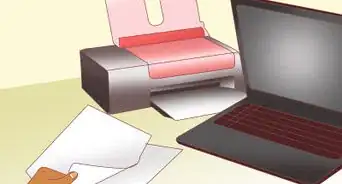
5Print. Load your special paper into the feeding tray and make sure to follow all directions! Usually you place the waxy side of the paper as the bottom side, but it depends on what kind of printer you have. Basically, insert the paper so that the printer will print on the waxy side.
-
6Wait a few seconds for the ink to dry.
-
7Proceed to iron the image onto the shirt. Don't forget it is like the temporary tattoo stickers, in which you place the ink side down so that it touches your shirt. Heat each section of the paper for about 30 seconds using the iron. Note: most t-shirt papers do not need steam, so leave it off. Also, depending on your brand of iron, turn the iron up to its hottest. The paper will stick to the wax if the iron isn't hot enough!
-
8Wait for it to cool.
-
9Peel back the paper, leaving the image and wax glued to your shirt.
-
10Put away all materials, including the iron (please wait for it to cool first before storing it away).
-
11Wear your t-shirt with pride!Advertisement


Community Q&A
-
QuestionWhat is the name of the transfer paper?
 Community AnswerAvery offers T-Shirt Transfer Paper. You can find it either in a crafts section or in the business section with other labels. You can also order the transfer paper through Avery's website.
 -
QuestionHow can I find the Microsoft word on my computer because I only find the Microsoft office please helpCommunity AnswerMicrosoft Word is contained within Microsoft Office. Search within your computer for it if you cannot find it.
-
QuestionCan I use any type of inkjet printer for iron-on printing?
 Garrett Lynch IRLCommunity AnswerYes iron-on printing will work with all types of inkjet printers. Give it a go.
Warnings
- Be sure to read ALL the directions before ironing. Some paper packages state that you cannot use steam or that you must use the cotton setting.Thanks!
- Use utmost caution when using the iron.Thanks!
- Make sure the t-shirt transfer paper package matches the type of shirt you are using. For example, some papers are for dark-colored shirts only while others only work well on light-colored shirts.Thanks!
Advertisement
Things You'll Need
- A computer or laptop that allows you to use Microsoft Word 2007 (Microsoft Word 2003 may use the same steps also)
- A printer that contains the colors you are going to use
- T-shirt transfer paper (can be bought in many paper-selling stores such as Office Max, Target, Walmart, Michaels, etc)





About This Article
Advertisement