X
wikiHow is a “wiki,” similar to Wikipedia, which means that many of our articles are co-written by multiple authors. To create this article, volunteer authors worked to edit and improve it over time.
This article has been viewed 12,878 times.
Learn more...
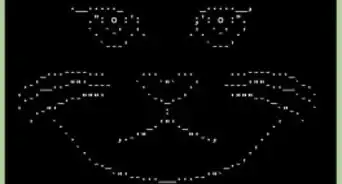
The concept of rasterbating an image is basically pixelating a picture or photograph and blowing it way up so that you can make it a wall print. Basically, a type of dot matrix wall poster. Rasterbator makes it very easy.
Steps
-
1Get the software here.
-
2Extract it from the zipped file. When you do that, it will just extract it into its own folder. It doesn't 'install' it.Advertisement
-
3Go to the folder that contains the Rasterbator file. Double click on the executable file.
-
4Start up the program. The screen you see will be what you see here. That will happen every time you start it up.
-
5Select your language.
-
6Select your image. Be sure it is your image, a public domain, or Creative Commons image. Click Continue.
-
7Select the right type of paper.
-
8Define the output size. This will be something like 6 pieces of paper by 4 or however it works out. Click Continue.
-
9Choose the options. Those are the size of the dot, the color (one or multi-color) and whether or not you want a cutout line.
-
10Give it a name and location and click Rasterbate!
-
11Give it a little bit. Depending on how fast your computer is, is how long it will take. It saves the file as a PDF.
-
12Print it out, cut it out according to the lines, and post it wherever you like!Advertisement


About This Article
Advertisement