X
This article was co-authored by wikiHow Staff. Our trained team of editors and researchers validate articles for accuracy and comprehensiveness. wikiHow's Content Management Team carefully monitors the work from our editorial staff to ensure that each article is backed by trusted research and meets our high quality standards.
The wikiHow Tech Team also followed the article's instructions and verified that they work.
This article has been viewed 99,156 times.
Learn more...
This wikiHow teaches you how to prevent people you don't know from contacting you on Snapchat.
Steps
-
1Open Snapchat. It's a yellow icon with with a ghost in the center.
- Enter your username and password if you're not automatically logged in.
-
2Swipe down anywhere on the screen. Doing so takes you to the user screen.Advertisement
-
3Tap ⚙️. It's in the upper-right corner of the screen and takes you to the Settings menu.
-
4Scroll down and tap Contact Me. It's the first selection in the "Who Can..." section of the menu.
-
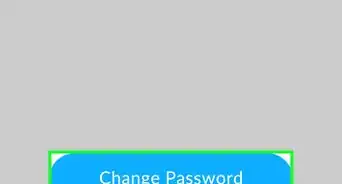
5Tap My Friends.
-
6Tap the Back arrow. It's in the upper-left corner. Now, only people who you've added as friends on Snapchat will be able to send you messages.Advertisement


Community Q&A
-
QuestionHow do I block someone on Snapchat?
 Community AnswerGo to their ghost icon and name, click the three dots on the top-right corner, and their should be the option to block the user.
 -
QuestionHow can I see a deleted snap on Snapchat?
 Community AnswerYou can't unless it's saved to your memories. If a friend sent it to you, you could ask them to resend it. If it's on your story, it should be saved to your camera roll.
 -
QuestionHow can I restrict people from adding me by my phone number?Community AnswerGo to snapchat settings, click "see me in quick add," and turn off this setting.
-
QuestionHow do I stop my friends from messaging me on Snapchat?Community AnswerBlock them by holding your finger down on there name, clicking Settings then scrolling to bottom and clicking Block.
-
QuestionHow do I prevent strangers from adding me on Snapchat?
 Community AnswerWhen they add you, you should get notified. Then, you can simply just block them so they can no longer message you.
 -
QuestionHow do I turn off messages from my friends on Snapchat?Community AnswerWhen on a group, go to notifications and turn notifications off.
About This Article

wikiHow Staff
wikiHow Staff Writer
This article was co-authored by wikiHow Staff. Our trained team of editors and researchers validate articles for accuracy and comprehensiveness. wikiHow's Content Management Team carefully monitors the work from our editorial staff to ensure that each article is backed by trusted research and meets our high quality standards. This article has been viewed 99,156 times.
How helpful is this?
Co-authors: 14
Updated: May 15, 2018
Views: 99,156
Categories: Snapchat
Article SummaryX
1. Open Snapchat.
2. Swipe down.
3. Tap the Settings icon.
4. Tap Contact Me.
5. Tap My Friends.
6. Tap the Back arrow.
Did this summary help you?
Advertisement