X
wikiHow is a “wiki,” similar to Wikipedia, which means that many of our articles are co-written by multiple authors. To create this article, volunteer authors worked to edit and improve it over time.
This article has been viewed 39,782 times.
Learn more...
Backward compatibility is an important topic for any console owner. When Xbox One first launched, it was not backward compatible with Xbox 360 games. However, backward compatibility has been introduced and many Xbox 360 games are now able to be enjoyed on Xbox One consoles.
Steps
-
1Check the current comprehensive list of compatible titles. To see if your Xbox 360 game of choice is compatible, visit the official Xbox site for Xbox 360 games on Xbox One.[1] You’ll find a list of Xbox 360 games that can be played on Xbox One. You can also download a PDF copy of the list by clicking the “Download PDF” link.
-
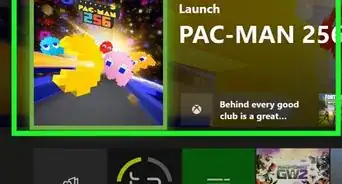
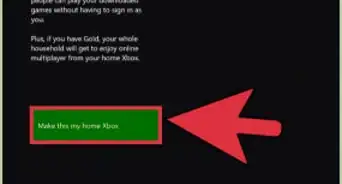
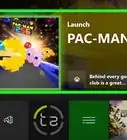
2Play a digital Xbox 360 game on Xbox One. Compatible games may be either digital (without a physical media to insert) or disc-based. If your game is a digital title, turn on the Xbox One and navigate to the “My Games” section of your home screen.
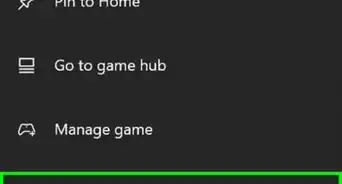
- Scroll all the way to the right, where you’ll find the “Ready to Install” section. You’ll find that your 360 games are accessible there for download if they are compatible with Xbox One.
- Select the game and confirm that you want it to be installed on your Xbox One. You’ll then be able to select it from your list of playable games.
-
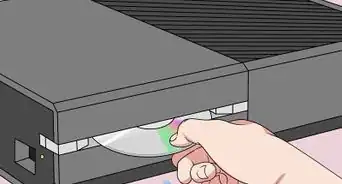
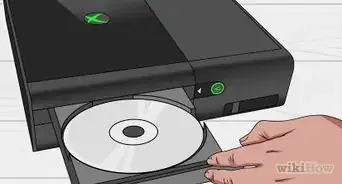
3Play a disc-based Xbox 360 game on Xbox One. If your game is disc-based, turn on the Xbox One and insert the 360 game disc into the console. You will see a message that indicates that the game is downloading to your hard drive. Wait for it to finish downloading, which will depend on the size of the game. Once the game has finished downloading, you will be able to play it.
- Note that you will need to keep the disc in the Xbox One console during play, and you will need to insert it each time you wish to play that game again.
-
4Purchase new Xbox 360 games you wish to play on your Xbox One. New compatible games will be updated on the comprehensive list of Xbox 360 games listed at Xbox.com, so check out the list from time to time to see if there are games you would like to add to your collection. Furthermore, all disc-based Xbox 360 games with Gold titles will be compatible with Xbox One.


Community Q&A
-
QuestionHow can I find out if my Xbox One is backward-compatible?
 Community AnswerXbox One is compatible with Xbox 360 games. The discs do not directly play, however; instead, discs trigger a download.
 -
QuestionMy disc isn't downloading and I have it inserted. How do I get it to work?
 ture znippCommunity AnswerIt may not be backwards-compatible. Check the official Xbox website to see which games are backwards-compatible on the Xbox One.
 -
QuestionCan you play Xbox 360 games on an Xbox One S?ture znippCommunity AnswerYes, you can, as it is basically just a smaller version of an Xbox One. Otherwise, it's exactly the same as a normal Xbox One.
-
QuestionWhy doesn't the game download when I put the Xbox 360 disc into the console?ture znippCommunity AnswerIt may not be backwards-compatible. Check the official Xbox website to see if it's backwards-compatible.
-
QuestionDoes the Xbox One have to be connected to the internet for backwards-compatibility to work?ture znippCommunity AnswerIt depends on what kind of version of a backwards-compatible game you're playing. If the game is digital, you need an internet connection to download and install it. If it's on a disc, you don't need an internet connection, as the console downloads the game from the disc rather than the internet.
-
QuestionI have a game that is playable for Xbox one but when I insert it into the console it says that this disc is not compatible. Any tips?
 Brian LowCommunity AnswerThe game may not be backwards compatible. Check with the Xbox website to see if the game is backwards compatible.