X
wikiHow is a “wiki,” similar to Wikipedia, which means that many of our articles are co-written by multiple authors. To create this article, 10 people, some anonymous, worked to edit and improve it over time.
This article has been viewed 29,737 times.
Learn more...
In this how to, you'll learn how you can play a drumming game on your PC with your rock band drums. It is very fun as you can download from a very large variety of songs that are the real songs not keyboard mimics like on consoles. Get started at step number one below.
Steps
-
1Plug your Rock Band drums into a USB port of your computer. Now let it install the software etc.
-
2Get your game! The one this guide is based on is called Frets on Fire, there is a link in the tips to the version you will need.
-
3Download Winrar to extract themes and songs into song folders.
-
4Install Frets on Fire. You want the Rock Band 2 Theme. You will need to extract the main folder into the folder Data, then Themes. Then in game go to options then change the theme to the K.I.D rock band 2 theme.
-
5Get a song with a drum chart. There will be a link in tips to a massive list but watch out some of them are extremely hard, just Google around for Frets on Fire drums songs for more.
-
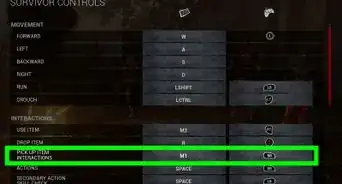
6Download the song. Open it up with winrar and extract it to a folder that you made your song directory when you started Frets on Fire for the first time. After it has been extracted go to Frets on Fire and go to options controls then choose the drums one and press enter on each drum and hit them in this order, red, yellow, blue, green, foot pedal. Then you can do abxy and the left right up down and start and back buttons. Then use the drums to navigate the menu to verify that it works. Done! Go download Wolfe's Drum Career on the Frets on Fite fan forums, just make an account.


Warnings
- You may get a sore back playing the game.Thanks!





-Step-2.webp)