X
wikiHow is a “wiki,” similar to Wikipedia, which means that many of our articles are co-written by multiple authors. To create this article, 10 people, some anonymous, worked to edit and improve it over time.
This article has been viewed 15,880 times.
Learn more...
Rock Band 2 is a popular video game that a lot of people (kids and adults) play. But you just bought it. Here is how to play guitar on it, for beginners.
Steps
-
1Purchase Rock Band 2 at any game store. If you have a Wii, purchase the Wii version. If you want the complete pack, purchase it at a department store that sells it (Target, etc). If you want the full pack for Xbox 360 or PS3, purchase it. It is very expensive if you want to buy it new, though.
-
2Get the guitar controller synced. Go to the options menu, you will find "Calibration". Select it to enter the Calibration menu, do what it tells you to do, and move on. If you have the Rock Band 2 guitar, you should be able to auto calibrate the game with it by selecting the Auto Calibrate option in the Calibration menu.
-
3Create a character. This character will resemble you in the background animations of the game. Your character doesn't need to be the same gender as you, but it is preferred. You may also choose from pre-made characters when playing in Quickplay.
-
4Select the first song you will play, either in Quickplay or in World Tour. Selecting an easy song like "Today" by Smashing Pumpkins or "Eye of The Tiger" by Survivor might be a good idea at first. After you have selected which song to play, choose which instrument you want to play (Guitar or Bass when using a guitar controller), and then choose what difficulty you wish to play on. Choosing the Easy difficulty might be a good idea if you are a stranger to music games in general, while Medium is probably the way to go if you are a bit more familiar with rhythm games.
-
5Now, place your first four fingers (your thumb is behind the buttons) with your left hand over the green, red, yellow, and blue (in that order) buttons on the neck of your plastic guitar and wait for the song to load.
-
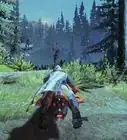
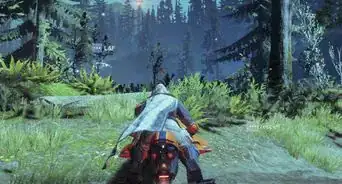
6Now the song will start, and the game will begin. When playing the game, "notes" with colours representing the buttons on the guitar neck will come towards you on the game screen, and you are supposed to press the the strum bar, the white thing at the body of the guitar, down with your thumb while holding down the correct "fret" button(s) as these notes hit the "hitline" on the bottom of the screen.
-
7Remember that this works like a real guitar when it comes to playing notes: you can keep the fret buttons pressed down at any time without being penalised, as long as you press down the correct fret buttons and strum when the notes hit the "hitline". You don't play notes by just pressing the strings on a real guitar either.
-
8If you are left-handed, remember to turn on lefty mode under options in the pause menu.
-
9Try to play trough the song. As long as you hit enough notes, your concert will be a success and you will go out victorious at the end of the song's duration.
-
10Congratulations, you have just learned how to play Rock Band 2 on Guitar!
-Step-1.jpg)
-Step-2.jpg)
-Step-3.jpg)
-Step-4.jpg)
-Step-5.jpg)
-Step-6.jpg)
-Step-7.jpg)
-Step-8.jpg)
-Step-9.jpg)
-Step-10.jpg)
Warnings
- Don't try to sing and play guitar at the same time if you're a beginner. It is hard to focus on two things at once, even if you know the song well.Thanks!
- The Whammy Bar on your guitar will break with repeated use, so only using it on sustained notes that gives you Overdrive might be an idea to make it last longer.Thanks!
- Plastic guitars and drum sets made for other consoles than the one you are playing Rock Band on is not compatible, so be sure to buy instruments for the right console. For example, PlayStation 3 users can not use a Wii or Xbox 360 guitar or drum set. USB Microphones are usually cross compatible though.Thanks!
- Your hand might hurt a little bit after playing the game for a while. This is normal, and with practice your fingers and wrist will get more used to the movements you do, reducing the pain drastically. It is just like it is with a real guitar: it hurt at first, but after a while you will be playing on hour upon hours without noticing a thing.Thanks!



-Step-2.webp)