X
wikiHow is a “wiki,” similar to Wikipedia, which means that many of our articles are co-written by multiple authors. To create this article, 14 people, some anonymous, worked to edit and improve it over time.
This article has been viewed 43,641 times.
Learn more...
Five Nights at Freddy's 2 is a popular indie survival horror game by Scott Cawthon, first released in 2014. It is a prequel to the first game, Five Nights at Freddy's. If you've never played Five Nights at Freddy's before, it is a really simple game to play. The closer to the sixth night you get, the harder it gets to survive a night.
Steps
Part 1
Part 1 of 3:Installing and Starting a Game
Part 1
-
1Go to store.steampowered.com.
-
2Create a Steam account so you can buy it.Advertisement
-
3Install Steam so you can launch the game.
- Once done, it should be in the "Games" section in the Steam client.
-
4Start a new game. When the game starts up, you will be met with a creepy-looking title screen. You want to click New Game.
- You start on Night 1. Only the toy animatronics move in this night.
Advertisement


Part 2
Part 2 of 3:Getting to Know the Controls on Night 1
Part 2
-
1Press Ctrl to use your flashlight. Be careful, because it can run out of batteries. When you use it, you can see down the hallway in front of you and see if any animatronics are coming down it. Flash it a few times at any animatronics in the hallway.
-
2Look out for the vents to the left and right of you. You also want to check these often because animatronics can come from them, the button above them toggles a light.
-
3Put on your mask when you see an animatronic. This is especially important if they're in the vents or your office. There will be two buttons at the bottom of the screen. The red one brings up your mask if you hover the mouse over it.
- When/if you hear banging from the vents, then that means it's safe to take the mask off.
-
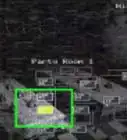
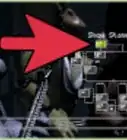
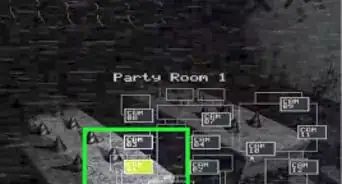
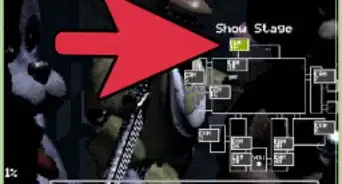
4Use your camera for monitoring. The white button at the bottom of the screen activates the camera. Using this, you'll be able to monitor other parts of the map. In the camera, you have to watch out for Cam 11. Also watch out for the vents, too, which are Cam 5 and 6.
-
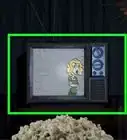
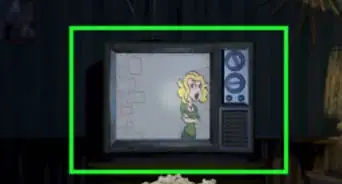
5Look for the circle in Cam 11. On the camera in Cam 11, there is a thing you have to do to keep an animatronic away from you. There will be a button saying "Wind Up Music Box" and a circle next to that.
- Do not let that circle run out. If it does, the marionette, which is the thing that's in the room, will probably get you soon. You generally only want the circle to drop halfway before re-winding it.
-
6Be quick. Whenever an animatronic appears in front of you in your office area, put the mask on instantly. With Toy Freddy, you only have 1.2 seconds to put it on. If you don't, then you're toast. The mask will trick the animatronics into thinking that you're one, so it's an essential.
- The mask does not work on Withered Foxy or Marionette, another two animatronics. To keep away Withered Foxy, flash your light at him a few times.
Advertisement


Part 3
Part 3 of 3:Beating the Following Nights
Part 3
-
1Be prepared for an increasing challenge. If you pass the first night, then congrats! It will progressively get harder the further into the game you get. Don't worry if you die multiple times- just keep trying.
-
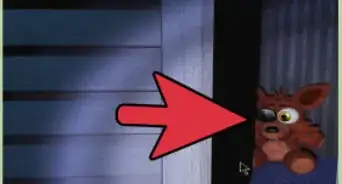
2Tackle Night 2. Night 2 is almost the same as Night 1, but Foxy will appear in your hallway, and the animatronics will come out earlier, this includes the old ones.
- Keep in mind that you must check Cam 11 after each time you check your office.
-
3Beat Night 3. Now it gets harder, as forgetting to wear the mask after checking the vents will trigger a jumpscare next time you put down your cameras.
- Withered Foxy will also become more active during the night, so don't forget to flash him away.
-
4Tackle Night 4. This is very similar to Night 3. Keep an eye on Withered Foxy and the Marionette.
-
5Beat the final night. This night is the hardest of the first five.
- To complete this night, you must check Cam 11 all the time. If an animatronic is in your office for a long time, go straight to the Prize Corner, and wind the box to at least half way.
- Toy Bonnie and Withered Foxy will be problems in this situation, as Withered Foxy will stay in the hall for ages, and even the slightest mistake will trigger a jumpscare. Toy Bonnie will stay in the vent for ages too, and if you don't put on the mask and keep him away long enough, it will result in a jumpscare. You may get lucky though, as another animatronic may get in your office before Toy Bonnie gets a chance to jumpscare you.
-
6Beat the game. When you beat the game, you can customize the danger of all the animatronics, and you get the option to do a 6th Night.Advertisement


Community Q&A
-
QuestionWhat do I do when Balloon Boy is in my office?
 Community AnswerOnce he's in, he won't get out. If you listen, you can hear a "hi" and a "hello." If you do, check the left vent cam. If he's there, put the mask on for 6 seconds and then he will go away.
 -
QuestionWhat do I do with Mangie?
 Community AnswerUse the Freddy head to block, jumpscare does not work on Pupit and Withered Foxy.
 -
QuestionHow come the mask doesn't work on Withered Foxy or Puppet?
 JoshuaCommunity AnswerThe Puppet will come for you nevertheless because you didn't wind his music box. As for Withered Foxy, the phone guy mentioned he's a little quirky, thus not caring whether you have the mask on.
Warnings
- Do not let Balloon Boy to get in your office. He will disable your flashlight, allowing Withered Foxy to come and jumpscare you. Once you see him in the vent, or hear him make a sound for the third time, pull down your mask for about 6 seconds. He'll be gone.Thanks!
- If the little flashing triangle disappears while you're still in your office, and hear the melody for the song "Pop Goes the Weasel", the Puppet is on his way to jumpscare you.Thanks!
Advertisement

About This Article
Advertisement