X
wikiHow is a “wiki,” similar to Wikipedia, which means that many of our articles are co-written by multiple authors. To create this article, volunteer authors worked to edit and improve it over time.
This article has been viewed 62,708 times.
Learn more...
Everyone has a different style, and you want to express that style. While their are many ways to express your style, most people don't think of using their laptop. There are many ways to personalize your laptop, and this wikiHow will show you how.
Steps
-
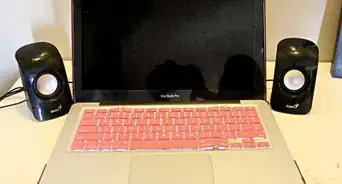
1Buy a laptop case. Buy one that suits you, one that really brings out your individuality. Not only will it look cool and show the real you, it will also protect your laptop! It can keep it from scratches, dents, and whatnot. A case is a great choice.
-
2Get stickers. Get special laptop stickers that again, bring out your uniqueness. You need to choose wisely because you will not be able to take them off without ruining your laptop or making it sticky, unless it's a removable one.
-
3Get it signed. But this may be a difficult choice to get a hold of. Or, if you have a sharpie/permanent pen, you can sign your own name on it. Be careful as this could look slightly tacky if you don't do it right.
-
4Laptop skins. Similar to stickers, but cover the whole of your laptop. Again, be careful when selecting since they can't come off afterward if you change your mind.
-
5Personalize the internal side of your laptop. Right click on your desktop >> personalise. You can customize your background image, color scheme, and font size.
-
6Get gadgets. You can get the basic free ones that come with Windows (if you have Vista or 7) such as the clock, calendar, mini slideshow, picture game, weather etc. If you want more you can go online (the option will be on there). To get these you right click on your desktop picture>gadgets.


Community Q&A
-
QuestionWhat do I need in a family laptop?
 Community AnswerDepends on what you want. But the first thing you need is a family password, then separate accounts for all your family members so that they can use the laptop freely with no problems.
 -
QuestionI want to password my laptop against any other users. What should I do?Community AnswerGo to the administrative account and set up a strong password.
-
QuestionMy laptop's programs are opened by only one program. What should I do?
 Community AnswerA program has been set as default for opening certain type of files. The best thing to do is to uninstall the program that is opening all the under programs first and reinstall after confirming that it solved the problem.
 -
QuestionI just got a laptop and I want it to be unique. How do I do it?
 Community AnswerIf you want, you can put stickers on your laptop that pertain to you. You could also change the desktop background on your laptop, or the lock screen.
 -
QuestionHow can I personalise a school laptop without stickers?
 Leah E. ParksCommunity AnswerYou dont need to decorate the outside of your laptop. If you have Chrome browser, get on the Chrome Web Store. There are lots of themes, extensions, and website apps and this is the perfect way to personalize your own laptop.
 -
QuestionWhat can I do to look my desktop home screen look better?
 Klea RamadaniCommunity AnswerYou could try to change the background and organize the files and apps into folders so they're not covering the whole desktop. This should definitely make your home screen look better.
 -
QuestionHow do I change my fount size?
 Fluffy FennekinCommunity AnswerIt really depends what operating system you're running, Assuming that you're running Windows 10, all you have to do is head over to your Settings, click Ease Of Access, click Display, and adjust the slider that is under "Make text bigger".
Warnings
- Don't overdo it; it can spoil the look.Thanks!
References
- Computer Nerd
- Experience