X
wikiHow is a “wiki,” similar to Wikipedia, which means that many of our articles are co-written by multiple authors. To create this article, 25 people, some anonymous, worked to edit and improve it over time.
This article has been viewed 60,628 times.
Learn more...
Has dust gathered on your computer case over time? This is a very common problem. Computer cases require frequent paints to retain their 'newness'. This article will teach you how to paint your computer case (inside and outside), as well as how to disassemble/reassemble the case.
Steps
-
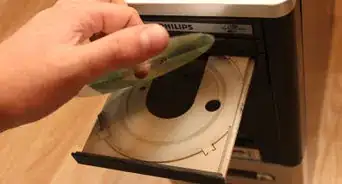
1Open the side of your case. Remove all hard drive and CD/DVD ROM drive cables. Remove the necessary screws and remove the drives.
-
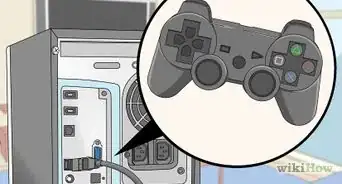
2Remove all expansion cards (PCI/AGP/PCI Express/etc), then remove your power cable from your motherboard.Advertisement
-
3Remove all screws from the motherboard and remove it from the case.
-
4Remove the power supply. Usually all the screws for it are on the back of the case. Sometimes, there are two on the inside of the case.
-
5Remove stickers, Velcro, etc. If possible also use sanding paper. This way the paint will adhere better.
-
6Wipe down the case with a paper towel with rubbing alcohol on it.
-
7After alcohol dries, spray an even coat over the entire case from 8–12 inches (20.3–30.5 cm) away. A second coat may be applied along with a clear coat.
-
8Reassemble computer.Advertisement


Warnings
- Paint in a well-ventilated area.Thanks!
- If you feel dizzy, stop and get fresh air.Thanks!
- Make sure the computer is unplugged!Thanks!
- Remember that painting your computer case will most likely void warranty.Thanks!
Advertisement
Things You'll Need
- Paper towels
- Paint
- Paint Brush(es)
- Sanding paper
- Screwdriver
- Alcohol


-Electric-Shock-Step-9.webp)





About This Article
Advertisement