This article was co-authored by wikiHow Staff. Our trained team of editors and researchers validate articles for accuracy and comprehensiveness. wikiHow's Content Management Team carefully monitors the work from our editorial staff to ensure that each article is backed by trusted research and meets our high quality standards.
The wikiHow Tech Team also followed the article's instructions and verified that they work.
This article has been viewed 34,854 times.
Learn more...
This wikiHow teaches you how to view and read ebook files with a Mobi format extension, using the FBReader app on a desktop computer.
Steps
-
1Open the FBReader website in your internet browser. Type fbreader.org into the address bar, and hit ↵ Enter or ⏎ Return on your keyboard.
-
2Click the FBReader tab at the top. This button is located next to a icon on a blue navigation bar at the top of the page. It will open a drop-down menu.Advertisement
-
3
-
4Launch the FBReader setup file on your computer. Double-click the downloaded setup file, and follow the steps to install FBReader on your computer.
-
5Open the FBReader app. You can find it in your Applications folder on a Mac, or on the Start menu on Windows.
-
6Click the Add file to the Library icon on the top-left. This button looks like a green "+" sign on a blue book icon in the upper-left corner of the app. It will open a pop-up window, and allow you to select an ebook to add.
-
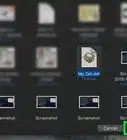
7Select the Mobi file you want to open. Find the Mobi file you want to view in the pop-up window, and click its name.
- You can double-click a folder here to view its contents.
-
8Click OK. This will open the Book Info settings in a new pop-up window.
-
9Click OK in the Book Info window. This will add the selected Mobi file to your FBReader library, and open the ebook.Advertisement


Warnings
- FBReader is a third-party app that allows you to open ebook files. You can download it from fbreader.org.Thanks!
About This Article

1. Download and install FBReader.
2. Open the FBReader app.
4. Click the green "+" icon on the top-left.
5. Select your Mobi file.
6. Click OK.