X
wikiHow is a “wiki,” similar to Wikipedia, which means that many of our articles are co-written by multiple authors. To create this article, 34 people, some anonymous, worked to edit and improve it over time.
This article has been viewed 367,602 times.
Learn more...
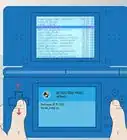
Your Nintendo DS can do a lot of things out of the box. It can play DS games, as well as Game Boy Advance (GBA) games. It can download demos from download stations at places like Best Buy, and you can chat with friends in the same room. But, it can also play music, videos, display text files, and much more!
Steps
-
1Acquire the R4DS (Revolution For DS) flashcart from an online retailer. They are not sold in stores, but they are not illegal as sold (apart from in the UK where the were ruled illegal as of 28th July 2010). You can find them on the official web site, or you can search online for other online stores which have them available.
-
2Download the latest firmware for the R4. At the time of this writing, the latest version is 1.18 which was last updated in 2008. There is a third party R4 DS firmware available called WoodR4, which offers better features and greater compatibility with all homebrew games, apps, and emulators. The R4 may not ship with the latest firmware. You can find the download pretty easily just by using Google.
-
3Connect the Transflash/microSD card to your computer. The R4 comes with a microSD to USB adapter which is very nice. If you have a memory card reader, use the SD adapter that comes with most microSD cards. In a pinch, put the memory card in a compatible phone and connect the phone to the computer.
-
4Open the firmware file, should be Language-Version.zip. Unpack the contents of this archive to the root directory of your microSD card.
-
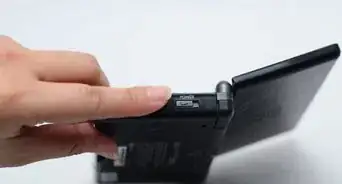
5Verify that you have done everything right. That should be all it takes. Remove whatever game may be in your DS' Slot-1, insert the R4, and insert the microSD card into the R4. There is only one way it can go, and it will most likely be the way you don't expect. It does not matter in what order you do this - you could also put the microSD card into the R4 and then put the R4 in the DS. (A clever individual can remove the microSD card from the R4 while the R4 is in the DS, but it's a tight area.)
-
6Turn the DS on. You should get the safety warning, but before you get a chance to touch the screen to confirm, the R4 should take over. The default DS menu, if it was enabled (it is by default), will be bypassed, and the R4 menu will load. You will get three choices. The first one, Game, will allow you to load a .NDS file (a DS ROM, or a homebrew application - .NDS is to your DS what .EXE is to your Windows computer). The second one, Media, will allow you to play multimedia - music, video, text - using the Moonshell OS. The third one, Slot-2, will allow you to boot a Slot-2 (Game Boy Advance) game.
-
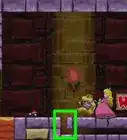
7Get some good homebrew! See the list linked under references for the compatibility guide - anything with a green square behind R4 is a go!


Community Q&A
-
QuestionHow can I make a R4 card?
 Abbey M.Community AnswerCreating one yourself is dangerous, as it may damage your DS/DS Lite. Save your money and buy one from Amazon.com or eBay instead.
 -
QuestionCan I do this on the D.S. with an R4?
 Community AnswerYes, you can. You may have to adjust the steps slightly, but you will be able to do it.
Warnings
- Putting music and video on your Nintendo DS carries the same legal repercussions as putting music and video on your MP3 player or computer. Be aware of copyright status of all media before downloading or placing it onto your DS. Remember, only that which has been released to the public domain is legal to download/distribute freely.Thanks!
- DO NOT remove the R4 from the DS, or the microSD card from the R4, while the DS is running. This includes sleep mode, so either open the DS or watch for the blinking light. If you took the card out while it was in sleep mode, you can't just put it back in. Shut it down. If you hadn't saved, consider progress lost.Thanks!
- You may have heard of "bricking", or things that can irreparably damage your DS. The R4 does have the capability, technically, but the danger is largely overrated. Only two applications were created with the potential to do so, and it was apparently done as a proof-of-concept. Still, the potential is there, so only use homebrew from trusted sites.Thanks!
- The same goes for DS games. While the R4 can play NDS ROMs, it is clearly illegal to do so unless you own the original game and ripped it yourself. Even then, the legality is unclear. To be safe, stick with homebrew software and multimedia you have the right to copy to devices.Thanks!
- The R4 and homebrew scene is not perfect. Do not expect the same level of quality in DS homebrew as you find in DS games/programs authorized by Nintendo. Some have it, most do not. Sometimes something may go wrong, but all is not lost - just power off the DS and boot it back up.Thanks!
Things You'll Need
- A Nintendo DS or Nintendo DS Lite
- An R4 flashcart
- One or more microSD/Transflash memory cards
- A computer
- microSD/Transflash memory card reader