X
wikiHow is a “wiki,” similar to Wikipedia, which means that many of our articles are co-written by multiple authors. To create this article, 9 people, some anonymous, worked to edit and improve it over time.
This article has been viewed 126,418 times.
Learn more...
If you take walks and always wonder what distance you're covering, there are a lot of ways to figure it out. As you probably know, you can use a GPS or a smartphone, but you might like to try using the internet––this article will show you how to use MapMyWalk.com.
Steps
-
1Create an account if you haven't already. You can sign in with your Facebook account if you like.
-
2Click on Create Route. This will load up tools that you need to create your map.Advertisement
-
3Take a second to get your bearings. If you have put your location in your profile, you should be at your town.
-
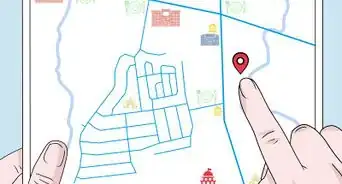
4Hover over where you will start your walk. It could be at home or maybe you drove to a park, or anything else. Click there.
-
5Click at a little bit away in the direction that you went. It doesn't have to be at every single corner. The map maker will stick with main roads unless you indicate otherwise.
-
6Avoid fretting if you find your path went wrong. Click Undo and backtrack to where it is correct.
-
7Continue making your map, turn by turn. If you need to, click and hold the left mouse down to move the screen (location) around.
-
8Fill out the information on the left. Try to give each walk an identifying name so you know it for future reference.
-
9Log it as a workout. Fill out the information under there so you can count it as a workout.
-
10Click on Save. That is on the far upper right hand corner.Advertisement


Community Q&A
-
QuestionHow do I get the app to announce increments in a mile?
 Community AnswerIn the upper left of the home screen you will see three horizontal bars, press on them to open a list. Scroll to the bottom and you will see settings. Click on that. The top option is voice feedback to activate or deactivate the announcment. The next one down is units where you can select either metric, imperial or a hybrid of the two.
 -
QuestionHow do I send my walk to my GPS?Community AnswerYou don't. A GPS helps you find your way to a place. It doesn't actually count your steps or how long you have walked.
-
QuestionCan I change the units to km?
 Community AnswerYou should be able to make that change in Settings.
 -
QuestionWhy doesn't it record the distance I walked?
 AbigailAbernathyTop AnswererYou have to press "Start Workout" when you begin your walk.
 -
QuestionCan I track my treadmill walks with MapMyWalk?AbigailAbernathyTop AnswererMapMyWalk has a Treadmill Walking activity -- you just need to find it. Keep your phone on in your pocket or even in your hand and continue on the treadmill.
-
QuestionHow do I change my username on MapMyWalk?
 Community AnswerGo into your settings. There will be an option there to change your username.
 -
QuestionHow do I reset my password?Community AnswerIf it says incorrect password, click on the help button. It should have an option for resetting your password. Enter your email, and you will be directed to a site where you can change it. Tip: don't make a password too long that you won't remember, but don't make it too short or obvious.
-
QuestionWhy can I do about the fact that my total number of steps aren't always counted when I walk?AbigailAbernathyTop AnswererYou should download MyFitnessPal and connect MapMyWalk with it. It shows steps on MFP. Alternatively, you can download Google Fit and connect it to MapMyWalk, and Google Fit will retain the steps.
-
QuestionDo other users see my name and contact details?AbigailAbernathyTop AnswererYou can change your privacy settings to be completely private, then no one can see them.
-
QuestionWill using MapMyWalk while walking use data from my Internet service?AbigailAbernathyTop AnswererYes.
Things You'll Need
- MapMyWalk account
- Internet enabled device



-Step-14.webp)
About This Article
Advertisement