This article was co-authored by Ashley Moon, MA and by wikiHow staff writer, Amber Crain. Ashley Moon is the Founder and CEO of Creatively Neat, a virtual organizing and life coaching business based in Los Angeles, California. In addition to helping people organize their best life, she has a fabulous team of organizers ready to de-clutter your home or business. Ashley hosts workshops and speaking engagements at various venues and festivals. She has trained with Coach Approach and Heart Core for organizing and business coaching respectively. She has an MA in Human Development and Social Change from Pacific Oaks College.
There are 7 references cited in this article, which can be found at the bottom of the page.
This article has been viewed 5,143 times.
Office supplies can be expensive, so keeping track of what your office has in stock and monitoring how quickly supplies are being used is really important. If you've never done inventory before, you might be feeling a little overwhelmed. Don't worry, we're going to walk you through the entire process so you can manage your inventory like a pro! We'll start with some basic setup tips and then move into specifics about the tracking and reordering process.
Steps
Method 1
Method 1 of 10:Appoint a supplies manager to oversee inventory.
-
1Assigning this responsibility to one person streamlines the process. A good office inventory manager organizes, monitors, and tracks inventory on a daily basis. If any questions about office supplies comes up, they’re the go-to and will be able to answer any supply-related questions immediately.[1]
- Office supplies can get expensive, so the supplies manager also acts as a gatekeeper to limit access to the area.
Advertisement

Method 2
Method 2 of 10:Keep supplies stored in a central location.
-
1Designate a specific area for supplies so you can keep track easily. You probably already have a special area for your office supplies, but if you don’t, set one up! Monitoring and tracking supplies is far simpler when everything is stored together in the same space.[2]
- If you’re short on space, a large shelf, storage closet, or unused office will do the trick.[3]

Method 3
-
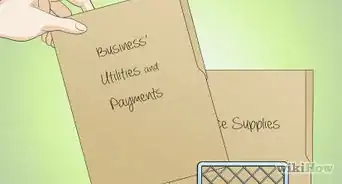
1Group and label items so finding and tracking them is a breeze. Start by sorting through all of the supplies and putting like with like. Then, decide how you want to organize the supplies inside the space.[4] Think about the items you need on a daily, weekly, or monthly basis. Then, arrange them so the ones you need most often are easy to see and get to. After you do that, label the shelves, baskets, or containers with the name of each item.[5]
- For example, put frequently-needed supplies at eye level for easy access. Items like toners and printers can go on higher shelves since you won’t need to get them that often.
- If you have a lot of supplies, organizing supplies alphabetically by name might make things easier to find.
- You could also group supplies according to departmental needs. For example, put accounting supplies on one shelf and administrative supplies on a separate shelf.
Advertisement

Method 4
Method 4 of 10:Create a master list of office supplies.
-
1Making a master list is easy now that the supplies are organized! Grab a pen and some paper and start writing down every item you have in stock. Include the product brand, name, number, color, and any other details you’ll need to know when it's time to reorder an item.[6]
- For example, note the specific brand and type of toner the main office printer uses. That way, you don’t have to hunt down those details every time you need to order a replacement cartridge.

Method 5
Method 5 of 10:Transfer the list of supplies to a spreadsheet.
-
1Using a spreadsheet is ideal for small- to medium-sized offices. You don’t need to buy special software to manage supplies for most offices! A spreadsheet, like Excel or Google Sheets, works great. Start with a column for the supplies and list the names of each one in individual cells. Then, set up additional columns so you can fill in details like brand, part number, color, etc.[7]Advertisement

Method 6
Method 6 of 10:Count the items and add the totals to your spreadsheet.
-
1Create a final column to keep track of current stock levels. Plug the total number you have in stock for each item into the final column on your spreadsheet. Save this spreadsheet and keep it on your desktop so you can access and update it easily.[8]
- If you want to be more detailed, create a “trigger point” column and plug those numbers in, too. The trigger point is the recommended amount of each item to keep stocked at all times. Once stock drops below the trigger point, it’s time to re-up! This way, you’ll never run out of anything.[9]

Method 7
Method 7 of 10:Use inventory management software for bigger offices.
-
1Software simplifies the inventory process if you have a lot to track. For large offices with lots of supplies in storage, investing in inventory management software is worth the money! First, type in the supply names and how many you have of each in stock. Then, the inventory manager updates the stock totals each time they remove supplies from the area.[10]
- If updating the program isn't possible in real time, the manager can keep a written log of items as they're taken out and input the data later on.
- Set up the software to send desktop or text message alerts when items hit their trigger points so you never miss a beat!
- Each program works differently so be sure to get something that makes sense for your office. For example, some programs allow you to scan bar codes to record current stock levels. This is great for large offices with lots of supplies!
Advertisement

Method 8
Method 8 of 10:Do routine checks to keep up with your stock.
-
1Supply checks are important so you can update your spreadsheet. Depending on how quickly your office burns through supplies, you may need to do a routine supply check on a weekly, bi-weekly, or monthly basis. On the designated day, go in and count how much you have of every item. Then, update the spreadsheet with the current stock levels and reorder what you need.[11]
- If you set up trigger points, remember to go by those numbers rather than the total number in stock.

Method 9
Method 9 of 10:Schedule your reorder days to help you stay on track.
-
1Schedule a specific day for placing orders to stay organized. Pinpointing a day for this helps keep your stock at the proper levels and prevents you from placing multiply supply orders at random times. You can just plan to order everything in one fell swoop on the appointed day and everything will be delivered together.[12]
- How often you need to reorder depends your supply turnover and how often you do routine checks.
Advertisement

Method 10
Method 10 of 10:Limit access to the office supply room.
-
1Secure the supply area so only the manager can access it. Allowing staff to grab supplies whenever they want makes it a lot harder to keep track of everything. It can also get costly because supplies tend to disappear at a much faster rate. To prevent these issues, lock or restrict the supply room so only the inventory manager (and possibly 1-2 other key employees) can get in.[13]
- This means that employees will have to go through the manager (or the approved helpers) whenever they need anything.

Community Q&A
Did you know you can get expert answers for this article?
Unlock expert answers by supporting wikiHow
-
QuestionHow do I declutter my office supplies?
 Ashley Moon, MAAshley Moon is the Founder and CEO of Creatively Neat, a virtual organizing and life coaching business based in Los Angeles, California. In addition to helping people organize their best life, she has a fabulous team of organizers ready to de-clutter your home or business. Ashley hosts workshops and speaking engagements at various venues and festivals. She has trained with Coach Approach and Heart Core for organizing and business coaching respectively. She has an MA in Human Development and Social Change from Pacific Oaks College.
Professional OrganizerFollow the same steps you would for any other organization project: sort, purge, organize, and make a home for everything.
Support wikiHow by unlocking this expert answer.











References
- ↑ https://bizfluent.com/how-4518917-manage-office-supplies-inventory.html
- ↑ https://getwindfall.com/4-clever-ways-to-manage-your-office-supply-budget/
- ↑ https://www.theorderexpert.com/organizing-tip-how-keep-track-office-supplies/
- ↑ Ashley Moon, MA. Professional Organizer. Expert Interview. 30 August 2019
- ↑ https://www.forbes.com/sites/theyec/2018/10/17/five-ways-to-improve-your-inventory-management/?sh=2b6bee492b7d
- ↑ https://www.theorderexpert.com/organizing-tip-how-keep-track-office-supplies/
- ↑ https://makeinbusiness.com/tips-for-managing-your-office-supply-inventory-as-a-new-business/
- ↑ https://makeinbusiness.com/tips-for-managing-your-office-supply-inventory-as-a-new-business/
- ↑ https://www.forbes.com/sites/kevingibbon/2017/04/05/one-step-ahead-the-importance-of-inventory-planning-for-smbs/?sh=528c039d70b7
- ↑ https://makeinbusiness.com/tips-for-managing-your-office-supply-inventory-as-a-new-business/
- ↑ https://www.theorderexpert.com/organizing-tip-how-keep-track-office-supplies/
- ↑ https://www.forbes.com/sites/kevingibbon/2017/04/05/one-step-ahead-the-importance-of-inventory-planning-for-smbs/?sh=528c039d70b7
- ↑ https://bizfluent.com/how-4518917-manage-office-supplies-inventory.html
About This Article