X
wikiHow is a “wiki,” similar to Wikipedia, which means that many of our articles are co-written by multiple authors. To create this article, 15 people, some anonymous, worked to edit and improve it over time.
This article has been viewed 99,795 times.
Learn more...
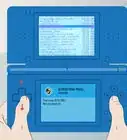
Got any old Game Boy Advance games lying around? Well with the original Nintendo DS or DS Lite, you can play them!
Steps
-
1Remove any game cartridge from the device.
-
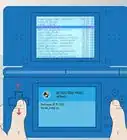
2Push the power slider on the right side of your DS and wait for the DS to power on.
-
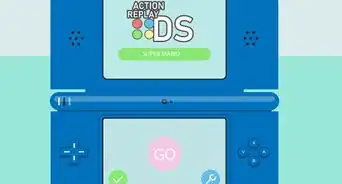
3Touch the small DS symbol at the bottom of your touchscreen and then the purple wrench.
- A small picture of a GBA will appear, click this and set which screen (top or bottom) you would like to play on.
-
4Proceed to your start up settings for your DS. these will be contained under the purple settings section with a purple picture with an arrow and a rectangle.
- Select Manual Mode. This is important, if set on Auto Mode the DS will always play any DS or GBA game inserted into the device first.
- The device will then ask to be powered off, do not manually power off the device using the slider on the side. Just either touch Yes on the touchscreen or press the A button.
-
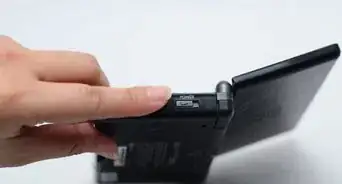
5Insert your Game Boy Advance cartridge on the bottom slot of your DS. This is labeled for you next to the slot as Slot-2.
-
6Touch, or select the bottom box on your touch screen that says "Start GBA game". If this option does not show up then you must power off the device and remove the cartridge. Reinsert and attempt this step again.
-
7Enjoy playing your classic Game Boy Advance games!


Community Q&A
-
QuestionWhat do the Y and X buttons do when playing Gameboy Advance games on the DS?
 Community AnswerThey do nothing, you can't use them when playing a Gameboy Advance game. It should be the same as playing on a Gameboy Advance.
 -
QuestionCan I do this on a new 3DS?Community AnswerNo, you cannot. There is no GBA slot in the DSi or the above models, including all models of the 3DS.
-
QuestionWhere can I find Gameboy Advance games?Community AnswerYou could go to a local game store that sells used or old games and if you cannot find them there, you can try online. eBay usually has them for sale.
-
QuestionIs Pokemon Blue GBA?
 BubblymiceCommunity AnswerNo. Pokemon Blue is Game Boy/Game Boy Color.
 -
QuestionCan I use the touchscreen on my Nintendo DS if I enable Gameboy Advance games?
 oofCommunity AnswerNo, since the original Gameboy Advance console didn't have touch screen capabilities. Similar to most DS games, mostly, the A and B buttons are used. However, the Advance can play original Gameboy games in color.
 -
QuestionWhat is a GBA game cartridge?
 Community AnswerA GBA game cartridge is a game that is used for the Game Boy Advance. The GBA games only work on the Game Boy Advance, Nintendo DS, or the DS Lite.
 -
QuestionWhich screen is best for playing Gameboy Advance games on my Nintendo DS?oofCommunity AnswerTop, since the touch screen isn't used for GBA games. But, if you're blind like me and need a closer view, you can use the touch screen as your provided screen.
-
QuestionCan I use a DSi or a 3DS to play GBA games?
 Community AnswerNo, as the DSi and 3DS removed the cartridge slot. But you can play using Virtual Console.
Warnings
- Do not remove a cartridge while the device is still powered on.Thanks!
- Do not attempt to disassemble your Game Boy Advance cartridge. You will not only void the warranty, but you will also have the risk of breaking your cartridge.Thanks!
- Do not blow into the device slots, or the cartridges themselves, the moisture contained within your breath may ruin the devices.Thanks!
- While inserting a cartridge into a DS Lite's GBA Slot, you may notice that it sticks out slightly. Do not try to push it in completely, as it may damage your console.Thanks!
Things You'll Need
- The original Nintendo DS or DS Lite
- A Game Boy Advance game cartridge