Explore this Article
X
wikiHow is a “wiki,” similar to Wikipedia, which means that many of our articles are co-written by multiple authors. To create this article, volunteer authors worked to edit and improve it over time.
This article has been viewed 44,546 times.
Learn more...
Are you tired of doing the distance formula by hand? Make a spreadsheet to do it for you!
Steps
-
1Open up a new spreadsheet. Any one will do, Excel is good for this.
-
2In the cell A1, type X Coordinates. In B1, type Y Coordinates.
-
3In the cell C2, type Pair 1. In C4, type Pair 2. This is to help you remember which number goes where.
-
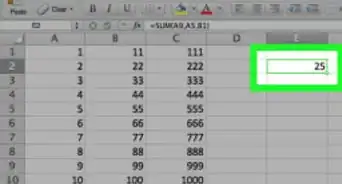
4In the cell D2, type in the following formula:=SQRT(((B2-B3)^2)+(A2-A3)^2)
-
5In A2, type the first X coordinate. In B2, type the first Y coordinate.
-
6In A3, type the second X coordinate. In B3, type the second Y coordinate.
-
7The distance will come up in D2.
You Might Also Like

How to
Sort by Number on Google Sheets on PC or Mac

How to
Add a Custom Field in Pivot Table

How to
Create a Form in a Spreadsheet

How to
Change an Excel Sheet from Read Only

How to
Add Two Cells Containing the Sum of Other Formulas in Excel

How to
Run a Script on Google Sheets

How to
Copy Formulas on Google Sheets on PC or Mac

How to
Add Rows to a Pivot Table

How to
Show the Max Value in an Excel Graph

How to
Embed Documents in Excel

How to
Freeze More than One Column in Excel

How to
Create a Chart from a Pivot Table

How to
Make a Google Spreadsheet

How to
Make a Shared Spreadsheet
About This Article
wikiHow is a “wiki,” similar to Wikipedia, which means that many of our articles are co-written by multiple authors. To create this article, volunteer authors worked to edit and improve it over time. This article has been viewed 44,546 times.

How helpful is this?
Co-authors: 2
Updated: July 28, 2015
Views: 44,546
Categories: Spreadsheets