X
This article was written by Jack Lloyd. Jack Lloyd is a Technology Writer and Editor for wikiHow. He has over two years of experience writing and editing technology-related articles. He is technology enthusiast and an English teacher.
The wikiHow Tech Team also followed the article's instructions and verified that they work.
This article has been viewed 1,284,892 times.
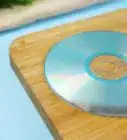
Getting a Xbox disk scratched is easy, but the hard part is getting it to work again. You can go to Gamestop and buy the disk skip fixer, but it will not fix the perfect circle scratches.
Steps
-
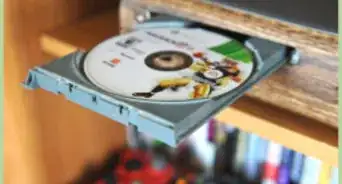
1Take the disk out of the Xbox.
-
2Try turning off the Xbox. Then remove the disk. After, simply open and close the tray repeatedly with two-second breaks. Do this about 20 to 30 times. If it works again, there's no need to use another approach.Advertisement
-
3Choose one of the methods below to try to fix your Xbox game if this simple fix failed to work.Advertisement


Method 1
Method 1 of 9:Polishing the disk
Method 1
-
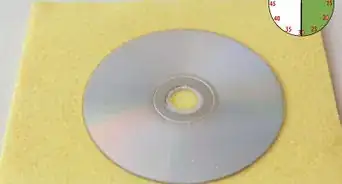
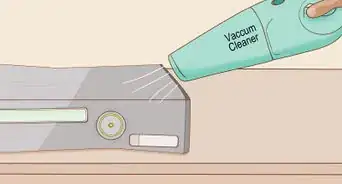
1Use air first. For example, blow across the disk. Or, use a soft brush to remove any specks from the disk before you polish it.
-
2Get a soft, lint-free polishing cloth. Choose something like a cloth used to clean eyeglasses with. Dampen it.
- In a pinch, you can use a wet piece of toilet paper. (Make sure that it is soft and not the slightly abrasive ultra-cheap stuff.)
-
3Use the wet piece of cloth or toilet paper to clean the shiny side of the disk. (Not the side with the name and picture.)
-
4Dry the whole disk off. Use a dry polishing cloth, or other lint-free cloth. Do not use toilet paper or paper towels, as the rough surface on the paper can damage the disk further. An old clean T-shirt works well.
-
5Put it in your Xbox. With luck, it should work. If not, try cleaning it again, to a maximum of 5 times.Advertisement


Method 2
Method 2 of 9:Using soap or cleaner
Method 2
-
1Use soap or Windex. Slightly wet paper towel to wipe off your disk from the middle towards the outside. Do not use a circular motion; this may cause scratches in line with the data and may permanently make it irreparable!
-
2Use a furniture cleaner. It should remove most of the scratches.Advertisement


Method 3
Method 3 of 9:Using toothpaste
Method 3
-
1Rub toothpaste on the disk. Only use paste, not gel. Also, dampen a suitable soft cleaning cloth.
-
2Rub from the center. Then move all the way around to the edge.
-
3Wipe the toothpaste off with a wet cloth. Wipe any dampness off with a dry cloth.
-
4Try the disk again. It should work.Advertisement


Method 4
Method 4 of 9:Using car polish
Method 4
-
1Use a car polish.
- Get a dry cloth and add a small amount of car polish to it, such as T-cut.
- Rub in circular motion for 15-20 minutes, then wipe dry. Or, use some cotton buds put a tiny drop on to the cotton bud and then wipe the disc in a circular motion.
- This works for any dust scuff marks from where the disk wobbles in the tray, when the Xbox is upright or moved.

Method 5
Method 5 of 9:Using peanut butter
Method 5

Method 6
Method 6 of 9:Using rubbing alcohol
Method 6


Method 7
Method 7 of 9:Using wax from a candle
Method 7
-
1Get some melted wax from a normal candle.
-
2Gently pour the wax on the scratches. Rub in with a soft cloth.
-
3Wipe off the excess wax with a dampened cloth. The wax must be even and smooth across the top.
-
4Let the disk dry for about 5-10 minutes. Try it again. If it plays, you're set. If not, retry.Advertisement


Method 8
Method 8 of 9:Using Vanish Oxipowder
Method 8
-
1Use vanish Oxipowder, a proprietary product available from the supermarket.
-
2Cover the entire shiny side of the disk with the powder.
-
3Wait 5 to 10 minutes.
-
4Clean the powder off completely with a soft dampened cloth.
-
5Place the disk in the Xbox. It should be clean enough to play properly again.Advertisement


Method 9
Method 9 of 9:Other possible fixes
Method 9
-
1Take the disk to a game or computer shop. Ask them to fix it; they will usually ask for $3.00 to $5.00.
-
2If any of your friends has the game, borrow the disk from him or her, install it to your hard drive and hope the Xbox recognizes it. Since it won't load data from the disk, this trick might work.Advertisement


Community Q&A
-
QuestionIs it dangerous to put the game disc into my console after doing these methods?
 Community AnswerNo, it should fix the disc and make it as good as new.
 -
QuestionWhat should I do if my disc has a ring on the inner circle?
 Marcus GeorgeCommunity AnswerThis is not repairable if it is a deep gauge gash.
 -
QuestionWhat should I do if my disk is still scratched after trying all of these methods?
 Community AnswerUnfortunately, some disks are scratched beyond repair. In this case, you may have to buy a new disk.
 -
QuestionI've bought Minecraft for Xbox 360 three times and if I don't play it for a few days straight, it won't work at all, and there is never anything wrong with the disc. What could be the problem?
 Community AnswerIt might be your X-Box that is broken, not the disk. If it does that for other games, take it to Gamestop or a repair store to get it fixed.
 -
QuestionWhat might cause a brand new game to freeze or skip?
 Community AnswerIf a new game is skipping, you might have to update the game. If it is a console game, hook the console up to the internet with the game inside. An update should pop up; if not then you might have a faulty game.
 -
QuestionThe disk is clean and there are no scratches. Is there anything else I can do to get it to work?Community AnswerTry clearing the cache. Go to System, then Storage and find the storage system that your saves are on. Then clear the cache. You can find more detailed instructions online.
-
QuestionAfter I install a game, it tells me to still insert the disc. Is there a way to fix that?Community AnswerInstalling the game doesn't make it possible to play without the disc; it just makes the game run faster and easier. If you want a copy on your Xbox, you'll have to go to Xbox Live and download it.
-
QuestionHow do I fix a disc that is coming up as unreadable?Community AnswerTry using a window cleaner and a paper towel. Then, do an initial setup, plop that disc in, and you should be ready to go.
-
QuestionCan I buy something to repair a disc?Community AnswerYes, you can. You can buy a JFJ easy pro; it's a machine that cleans discs that you can get on Amazon. Look up how to use a JFJ easy pro before buying it, because it costs $130. If you don't want to spend that much money, you can go to your local game store and ask them to fix your disc.
-
QuestionMy games freeze on me and nothing is wrong with the discs. How can I fix this?Community AnswerIf you have an Xbox 360, then check to see if there is a copy of the system cache, if there is, delete a copy, if not, blow air in the disk drive which works on all game systems.
Warnings
- Don't accidentally ruin the disk by smearing it or scratching it more!Thanks!
- Make sure that there are no abrasive specks on your disk or polisher at any time while you are polishing.Thanks!
- If you use inappropriate cloth, tissue, or paper to polish your disk, you may worsen its scratches.Thanks!
- If the disk is still wet, you may break your Xbox.Thanks!
Advertisement
Things You'll Need
- Polishing cloth or toilet paper
- Water supply
- Disk
- 90% or higher isopropyl alcohol
- T-cut
- Toothpaste
- Candle wax

-Microsoft-Sidewinder-Precision-Pro-Into-a-USB-Joystick-Step-14.webp)
About This Article
Advertisement