X
wikiHow is a “wiki,” similar to Wikipedia, which means that many of our articles are co-written by multiple authors. To create this article, 14 people, some anonymous, worked to edit and improve it over time.
This article has been viewed 12,306 times.
Learn more...
Trading is very interesting and helpful game mechanic in Minecraft. Trading occurs between players in villagers, with emeralds as one of the more common trading items. Some players prefer to keep their trading villagers in one place, not let them go somewhere else. This makes it easier to trade, not to mention that it looks good. Here is a simple guide on how to make a Minecraft trading post.
Steps
Part 1
Part 1 of 3:Survival Mode
Part 1
-
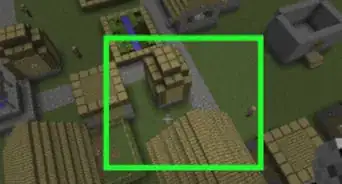
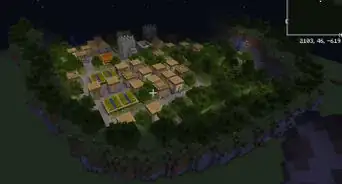
1Find a village. Signs of a village include big structures and villagers. The structures look like houses made of cobblestone and wooden planks as well as raw wood. Look for gravel roads, too, as they connect the houses together.
-
2Make a 3x3 fence with a stand. This makes a place for a villager to go in and not escape.Advertisement
-
3Break one fence and push a villager in. Once the villager is stuck there, don't let it go out.
- If you can, try to push in another villager.
-
4Go ahead and cover the entrance with any type of block but no slabs or stairs. An example is a simple block of dirt.
- Make sure to not trap yourself!
-
5Put fence posts on the corners. They should go up two times. The total height should be three blocks on the corners and one block on the edges.
-
6Apply a torch on each fence post on the corners. This is for easier vision at night and to prevent any hostile mobs from spawning in the dark.
-
7Put a roof of any kind of block on the fence posts. Of course, the blocks cannot be affected by gravity. Slabs are preferred.
- Don't make the roof hover. The slab blocks should be on the fence posts and not in the air.
- You can make the slabs on the fence posts and one in the center hovering.
- The roof should be 3x3.
-
8Place a sign on the slab facing the block that covers the entrance. It should say "Trading Post." This is optional but helpful, especially when playing multiplayer or when creating an adventure map. The sign can also be put on the front block itself or the ground next to the trading post.
-
9Done! Trade by going to the post and to the villager.Advertisement


Part 2
Part 2 of 3:Creative Mode (Similar)
Part 2
-
1Make a fence measuring 3x3. There should be a space in the center.
-
2Spawn a villager inside.
-
3Break a fence post (no corners). Quickly place a block of any sort, such as dirt.
-
4Put fence posts on the corners two times. There should be a total height of three blocks.
-
5Complete the roof with slabs. It should be 3x3 and not in the air.
- The slab in the center can be in the air.
-
6Place torches for each corner once.
-
7Place a sign on the slab facing the block. It should say "Trading Post."
-
8Done!Advertisement


Part 3
Part 3 of 3:Trading
Part 3
-
1Do trading in the same way that you would place a block on the villager (right click). You will see the trading system.
-
2Put the same item as shown on the first slot. The item should be there.
-
3Get the other item the villager offers. Done. You have successfully traded with a villager!Advertisement


Community Q&A
-
QuestionCan a villager die of hunger?
 Community AnswerNo, but they may despawn after some time. Using a nametag on an anvil and naming the villager will prevent this, however, in survival mode these items are slightly harder to obtain. The crafting recipe for an anvil is three iron blocks at the top, one iron ingot in the direct center, and three iron ingots at the bottom. A nametag cannot be crafted, and instead must be obtained through chests in dungeons or Nether Fortresses.
Warnings
- Never let the villager get hurt (mostly on Survival mode).
- One way to prevent the villager from getting hurt is by making an iron golem.
- If you hit the villager, an iron golem nearby will attack you, even if you made it.
Thanks! - If you are using wood items, don't put the post near fire or lava. It might burn.
- That being said, never make a trading post at the Nether. It will surely catch on fire.
Thanks!
Advertisement



References
- http://minecraft.gamepedia.com/Villager – research source
- http://minecraft.gamepedia.com/Trading – research source
About This Article
Advertisement