X
wikiHow is a “wiki,” similar to Wikipedia, which means that many of our articles are co-written by multiple authors. To create this article, 67 people, some anonymous, worked to edit and improve it over time.
This article has been viewed 219,099 times.
Learn more...
LEGO® bricks are one of the most classic, fun, and clever toys ever made. Advances in consumer electronics, such as affordable computers, camcorders and digital cameras have made it possible for to produce high quality LEGO animations inexpensively.
Steps
-
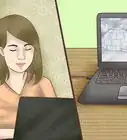
1Go on a video sharing website like Youtube and search for LEGO movies, to get ideas. (Examples:LEGO Star Wars, LEGO Mario, LEGO Batman.etc.)
-
2Make sure you have all of your materials.Advertisement
-
3Build and stage your set, this could be 100% LEGO, a real world scene or a combination of the two. Be sure to look through the camera you'll be using, to get a sense of how your video will look. While you're doing this you can check for unwanted elements that need to be covered up or camouflaged, especially in the background.
-
4Get the LEGO minifigure actors ready. As the stock minifigure heads are very static you may want to have a few suitable heads ready to go if you'd like for your actors to be expressive. If you can't find heads that work you could always paint some yourself.
-
5Position the starting scene of your movie and your camera keeping in mind it is imperative that the camera be immobilized; otherwise your finished video will be jerky. Use a tripod or similar device to keep the camera still, then take the picture.
-
6Move the actors in your scene, but just a little bit. It is easiest to move the character about two paces on the platform or about half an inch on the floor. Continue this until you are done with your movie.
-
7Use any stop motion application on your computer that can make variable fps time settings. preferably one that can set up to 15fps, It will give the best results.
-
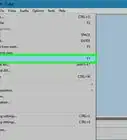
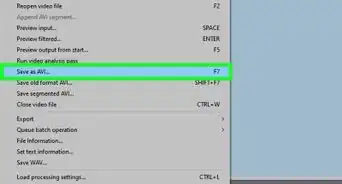
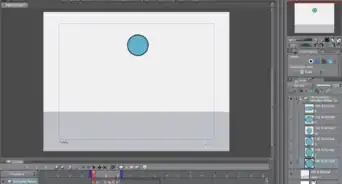
8Go on iMovie, Windows Movie Maker or another movie making program and import your photos.
-
9Delete any extra photos and put them in the correct order.
-
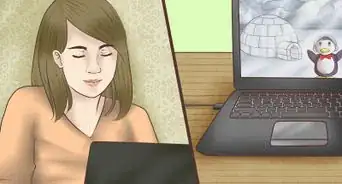
10Watch your movie using the sideshow setting.Advertisement


Community Q&A
-
QuestionIf I want to do the stage 100% LEGO, how many bricks I could need for a sitcom-like room?
 Community AnswerAll you would need to make is 3 walls and whatever you want inside. Depending on how much detail you'll give it, 80 - 120 bricks should suffice.
 -
QuestionIs it a good idea to post it on social media or YouTube?
 Community AnswerYes, as long as you don't use any copyrighted material or make it seem like you work for Lego.
 -
QuestionCan I add special effects?
 Community AnswerYes, but you will have to use an editing software or complicated brick effects.
 -
QuestionCan I make an animation with my tablet?Community AnswerYou can if your tablet has a good camera. You would also need an app for stop motion and a tripod. You can make a simple stand for your tablet out of LEGO bricks.
-
QuestionWhat is the proper way to animate speech?Community AnswerSome people just move the hands around. Some alternate between open and closed faces. Some use editing tricks. And some do nothing. It just depends on how you want to animate and your skill level. I would recommend just moving hands or doing nothing if you're a beginner and alternating faces if you have experience.
-
QuestionCan I use a phone app to do this?Community AnswerYes, as long as your phone has a good camera. You may even be able to find an official app for making Lego brick films.
-
QuestionHow can I add sound to my videos?Community AnswerYou have to record sounds separately, then add then to the animation by using a editing program.
-
QuestionWhat is a stop motion application?Community AnswerIt's an application that converts your pictures into a movie. Windows Movie Maker is an example.
-
QuestionWhat is a good stop motion software for Mac computers (other than iMovie, and preferably free)?Community AnswerStop Motion Studio is a great app to use. There is a free version and a pay version. The pay version comes with more features, obviously.
-
QuestionHow can I add voices and sound effects?Community AnswerYou would need to use an animation/video editing software (like Movie Maker) to add audio, sound effects, special effects, etc.
Warnings
- Do not move the set or camera unless going for a different view of it.Thanks!
Advertisement
Things You'll Need
- LEGO Bricks
- Digital camera
- A lot of patience
- Good lighting
- A computer with a video editing software installed
- If you can, for iPod, iPhone or iPad, there are various movie making apps. You can also use the 3DS camera.








About This Article
Advertisement