X
wikiHow is a “wiki,” similar to Wikipedia, which means that many of our articles are co-written by multiple authors. To create this article, 19 people, some anonymous, worked to edit and improve it over time.
This article has been viewed 68,767 times.
Learn more...
Are you interested in special effects in movies and TV? A green screen is one of the key components for making your actors appear to be somewhere they're not. It's easier to get set up than you might think. Soon, you'll be adventuring on far off planets or deep underwater (at least on the screen!).
Steps
-
1Get green non-reflective fabric (felt, fleece) from the Internet or a craft store, or paint fabric green. See "Tips" below for help with the paint formula.
-
2Cut the fabric to desired size.
-
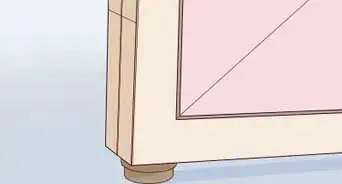
3Make a frame out of PVC that is slightly bigger, i.e. if fabric is 4'x 6' make frame 5' x 7'.
-
4Cut holes in the fabric near its edges every foot.
-
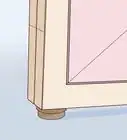
5Drill holes on the inside of the PVC frame every foot following pattern used on the fabric.
-
6Loop bungee cords or strong rubber bands through holes in both the frame and fabric so that it is taut.
-
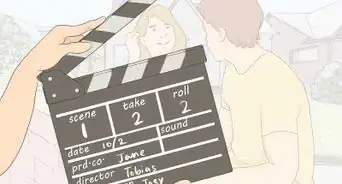
7Shoot in well and evenly lit room. Enjoy!
-
8Finished.


Community Q&A
-
QuestionHow do I make it work?
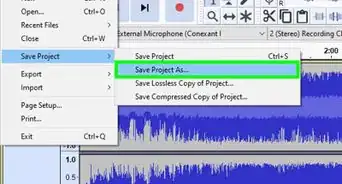
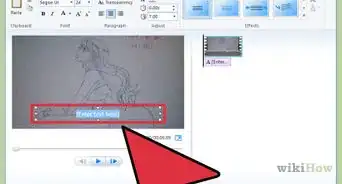
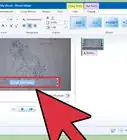
 Community AnswerUse a video editing software (such as openshot) to add a chroma key filter, which allows you to replace the green screen with a video etc.
 -
QuestionCould a dark blue work as a green screen?
 Community AnswerSadly no, it can't. Chroma keys don't work. Try buying green fabric from the closest craft store.
 -
QuestionWhat is a good app for a green screen using Android?Community AnswerKinemaster or Powerdirector. These are free and can be easily downloaded from Google Play.
-
QuestionHow do I put a background on the green screen?Community AnswerDownload After Effects, then in the Animation and Presets in the Keying folder, drag the keylight option to the video. Drag the ink fill icon to the green part of the screen and add footage behind it.
-
QuestionWhat kind of camera do I need for a green screen?Community AnswerAny type of camera is fine, the green screen process is all done with the editing app.
-
QuestionWhat is a good app for the Mac iOS?
 Community AnswerThe new update for iMovie comes with a green screen option, which easily helps to create the effect. Also, the older version of iMovie comes with it (the golden application, not the newer purple one) but that's harder to use.
 -
QuestionCan a blue screen work?
 Zac 3AMCommunity AnswerA blue screen will work. Just make sure that there is nothing blue in the scene other than the blue screen.
 -
QuestionWould a plaid green cloth work for the screen? Where can I get the green cloth for a green screen?Zac 3AMCommunity AnswerYes, A plaid green cloth will work. Just make sure it's big enough for you. And you can get a plaid green cloth from a crafts store or any store selling fabrics.
-
QuestionCan I use a green manila card when making a green screen?Community AnswerYes, you should be able to as long as the screen is big enough. As such, you might need quite a few pieces.
-
QuestionInstead of using green fabric, can I use green paper or green poster board?Community AnswerYes, Green paper will work as long as it is not dark green. Posterboard is too reflective and thus it may not work.
Warnings
- be careful when stretching the bungee cords or rubber bandsThanks!
- be careful when using drill and wear safety glassesThanks!
Things You'll Need
- a drill
- 4 or more bungee cords or strong rubber bands
- green non-reflective fabric
- PVC pipe
- scissors (optional)
- digital camera