This article was written by Nicole Levine, MFA. Nicole Levine is a Technology Writer and Editor for wikiHow. She has more than 20 years of experience creating technical documentation and leading support teams at major web hosting and software companies. Nicole also holds an MFA in Creative Writing from Portland State University and teaches composition, fiction-writing, and zine-making at various institutions.
The wikiHow Tech Team also followed the article's instructions and verified that they work.
This article has been viewed 115,866 times.
This wikiHow teaches you how to build a fence gate from wood in Minecraft.
Steps
Method 1
Method 1 of 2:Building the Gate
-
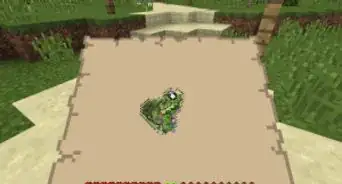
1Gather four wooden planks.You can either collect planks from villages or craft them from a single wooden log.[1]
- You can build a gate from any type of wood.
-
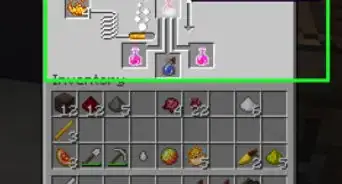
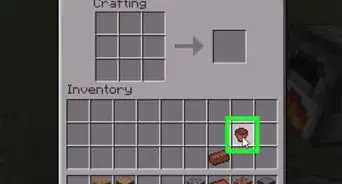
2Open the crafting table. You can do so by right-clicking (PC) or pressing L2 or Z2 (console controller) the crafting table.[2]
-
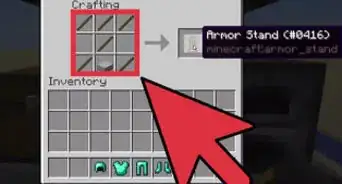
3Craft two planks into sticks. Here's how:[3] .
- Place one plank in the 2th square (the one at the top-center).
- Place another in the 5th square (right below the other plank).
- Drag the stick to the inventory.
-
4Place planks into the 5th and 8th squares. The 5th square is at the center of the grid. Place the second plank right beneath it (the 8th square).
-
5Place sticks in the 4th, 7th, 6th and 9th squares. The planks must be surrounded by sticks on the right and left sides.
-
6Drag the gate to your inventory. Your gate is ready to be placed.


Method 2
Method 2 of 2:Placing the Gate in a Fence
-
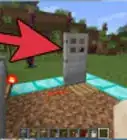
1Go to the part of the fence where you want to place the gate.
- Gates can also be attached to cobblestone walls.
- The gate must have a solid block beneath it (they can't be placed in mid-air).
-
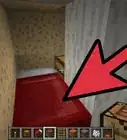
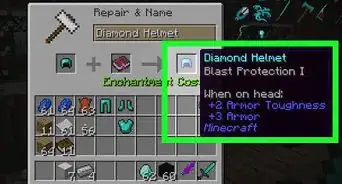
2Select the gate in your hotbar. It's at the bottom of the screen.[4]
-
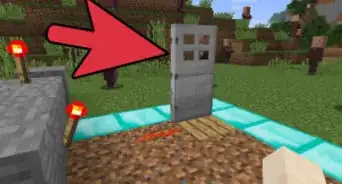
3Right-click the spot where you want to place the gate. If you're using a console, press L2 or Z2. The gate is now placed.
- Gates can also be attached to cobblestone walls.
-
4Right-click the gate to open or close it. Press L2 or Z2 if you're using a console system. Gates can be opened both inward and outward.


Community Q&A
-
QuestionHow do I make a fence gate in the Minecraft PC gamer demo?
 Community AnswerYou just follow the instructions that are listed above and you can use any wood but not stone or any other material.
 -
QuestionCan I make a stone gate in Minecraft?
 Community AnswerThere is no stone gate; only wooden gates are available. You can use all woods, and they are listed: oak, birch, spruce, jungle, acacia, and dark oak. You make them planks and sticks the same way as shown inside of this tutorial.
 -
QuestionCan I make a cobblestone gate?
 Banana HeadTop AnswererIn the current version of Minecraft, only wooden gates are possible.
 -
QuestionCan I make a iron gate out of iron bars?
 Seasalt25Top AnswererNo, you cannot make an iron gate using iron bars, ingots, or other forms of iron. You can currently only make wooden gates as of 1.17.
 -
QuestionHow do I make a gate that opens and closes?Seasalt25Top AnswererAll crafted gates will open and close when placed. All you need to do is right click it, tap it if playing Pocket Edition, or press the right trigger if using a controller. You could also use a pressure plate, button, or lever to open a gate.
-
QuestionI know gates were limited to wood in the past, but can you make a gate out of other materials now?
 Ashlyn MartinCommunity AnswerNo, you can still only use wood, but there are other varieties of wood now, like spruce, birch, jungle, acacia, dark oak, crimson and warped.
 -
QuestionHow do you make a big gate in Minecraft education edition?Ashlyn MartinCommunity AnswerPlace 2 of the wall (item) variants on one side, place 3 fence gates next to them, then place 2 more walls.
Things You'll Need
- Minecraft, installed
References
About This Article

1. Craft 1 log into 4 planks.
2. Craft 2 planks into sticks.
3. Craft 2 planks and 4 sticks into a gate.
4. Right-click next to a fence to place the gate.