This article was co-authored by wikiHow Staff. Our trained team of editors and researchers validate articles for accuracy and comprehensiveness. wikiHow's Content Management Team carefully monitors the work from our editorial staff to ensure that each article is backed by trusted research and meets our high quality standards.
Learn more...
Snapchat’s Custom Story feature is an awesome way to interact with your friends on the app. Custom Stories allow iPhone users to create a Story which can only be viewed or added to by a select group of friends. Unfortunately, Android users cannot create Custom Stories, but they can still see and contribute to Custom Stories made by others.[1] This wikiHow article will teach you how to create a Custom Story for you and your friends on Snapchat.
Steps
-
1Open Snapchat. The Snapchat app icon is a white ghost on a yellow background.
-
2Open your profile. You can access your profile by tapping your Bitmoji or silhouette at the top left of the camera screen.
-
3Tap + New Story. This button can be found to the right of the “My Stories” category.
-
4Press New Custom Story. It is the second option under “Pick Your Story Type”.
-
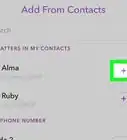
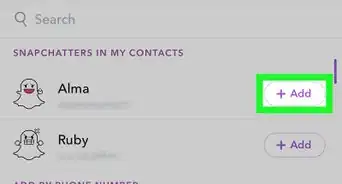
5Select people who can add to the Story and tap Create Story. People you add to your Custom Story will be the only ones who can add Snaps and view the Story.
-
6Name your story and press Done. Your Custom Story is now set up!









About This Article

1. Open Snapchat, then open your profile.
2. Tap + New Story, then press New Custom Story.
3. Select people to be added to your story, then tap Create Story.
4. Name your story and press Done.