wikiHow is a “wiki,” similar to Wikipedia, which means that many of our articles are co-written by multiple authors. To create this article, 19 people, some anonymous, worked to edit and improve it over time.
This article has been viewed 173,990 times.
Learn more...
Chests are Minecraft blocks that allow your character to store items gathered throughout the game.
Steps
Part 1
Part 1 of 6:Making a Single Chest
A single chest can store up to 27 stacks of items or blocks. It can hold up to 1728 blocks.
-
1Get eight wooden planks.
-
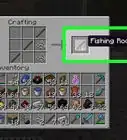
2Place the planks in the crafting table. Use the chest recipe to craft the chest: Arrange the planks in every slot, apart from the middle one.
-
3Place the chest. Always place a chest with free space above it. Otherwise, you won't be able to open it!
- Note that there are a few blocks that won't stop the chest from being opened if they're placed on top of it. These include: water, lava, leaves, cactus, glass, snow, stairs, farmland, cake, beds, fence, another chest, a torch, rails, signs, and a few more (translucent blocks).
- As of Minecraft 1.13, you can place more than two chests next to each other.


Part 2
Part 2 of 6:Creating a Large Chest
A large chest will have 54 storage slots. It opens as a single chest, with six rows of slots and can hold up to 3,456 blocks.
-
1Make the chest as for the single chest above. You can't craft a large chest.
-
2Place two chest blocks adjacent to each other. You now have a large chest.
- You must place both chests from the same direction for them to connect into a large chest.
- If you hold shift while placing the chest, it won't connect and make a large chest.


Part 3
Part 3 of 6:Creating a Trapped Chest
This is much like a normal chest, with a few differences. for one, it releases redstone when open. .
-
1Obtain a single normal chest.
-
2Make a tripwire hook. These are made by, in a crafting table, putting 1 plank on top of a stick, on top of an iron ingot.
-
3Combine the hook and the chest in the crafting table. This is a shapeless recipe.
- Note that you can put two trapped chests next to each other, to make a large chest.


Part 4
Part 4 of 6:Understanding Chest Orientation
-
1Note that chests are designed with compass orientation that affects placement of items.
- The top three rows in the chest correspond to the western or northern chest block.
- The bottom three rows correspond to the southern or eastern chest block.
- In the large chest, you'll find the items organized into the southern or eastern side, which will depend on the orientation of the chest.

Part 5
Part 5 of 6:Using Your Newly Created Chest
For the first time of use, here is what to do:
-
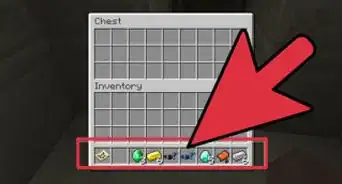
1Right click on the chest. It will open.
-
2Transfer items into the chest. Shift click on the item. The item will go into a slot that's available for it.
-
3Transfer items out of the chest. As with the previous step, shift click on the item in the chest and it will come out of the chest.
- Left clicking will help you to collect all of the items in the slot. Left click again to place items.
- Right clicking will let you take just half of the items in a slot.
- Right click to place a single item.
-
4Close the chest. This can be done by simply pressing the inventory button or the ESC button.


Part 6
Part 6 of 6:Finding Chests

Community Q&A
-
QuestionCan a chest be relocated?
 Community AnswerYou can break a chest and move it, but all of the items inside the chest will fall out onto the ground.
 -
QuestionCan I make a chest made of iron?
 Community AnswerYou can't in vanilla, but if you install a mod that involves iron chests, you can.
 -
QuestionWhen I try to put a chest on a donkey or a mule, it will no longer work. What could be wrong?Community AnswerYou need to sit on the donkey and press "e" and then it will open up the donkey's inventory and its chest.
-
QuestionCan you somehow open a trapped chest?
 Banana HeadTop AnswererYou can open a trapped chest the same way you would a normal chest, but the trapped chest will send out a redstone signal. Try checking all around it for redstone dust that could be leading to a trap (or check for TNT under the chest!).
 -
QuestionWhat is the pink and black block?Banana HeadTop AnswererThat is a weird thing that happens when Minecraft cannot load the texture for the item. The item/block will still work, but will appear as that pink/black square.
-
QuestionHow do I make a tall chest?
 Community AnswerYou cannot make a tall chest, it is not possible. It is not in the game. Instead, just stack the chests.
Warnings
- Updates to the game may change some of the content. In which case, feel free to edit to bring this up-to-date again.Thanks!
About This Article
To make a chest in Minecraft, gather 8 wooden planks and place them in the crafting table with one in every slot except for the middle one. On the right side of the screen, a chest will appear in box. Next, place the chest in an area with nothing above it for easy access. To create more storage, craft another chest and place it beside the first chest. This will make a chest with 54 storage spaces to hold more items. If you want to learn how to put items in and take items out of your chest, keep reading the article!