X
wikiHow is a “wiki,” similar to Wikipedia, which means that many of our articles are co-written by multiple authors. To create this article, 10 people, some anonymous, worked to edit and improve it over time.
wikiHow marks an article as reader-approved once it receives enough positive feedback. In this case, 90% of readers who voted found the article helpful, earning it our reader-approved status.
This article has been viewed 113,506 times.
Learn more...
Why spend tons of money on gifts when you can make personalized photo coasters at home for less than half the price? All you will need is a few things and a little bit of time. Sound interesting? Let’s get started!
Steps
-
1Print off or cut out the photo that you want to use and trim the edges to fit the ceramic tiles.
-
2Apply Mod Podge to the back of the photo using the sponge applicator, and carefully place it on the ceramic tile. Be sure to move quickly because Mod Podge is not very forgiving.Advertisement
-
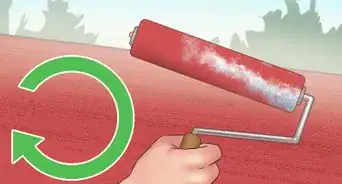
3Apply a layer of Mod Podge to the top of the photo once it dries. Use directional strokes (left to right, right to left, or diagonal) when doing this because the lines will show as it dries.
-
4Allow Mod Podge to dry completely.
-
5Apply two more layers, making sure that each layer dries before doing the next, and allow those to dry.
-
6Spray the tiles. Take the tiles outside and spray the acrylic coating.
-
7Let the spray dry for about 15 minutes and then repeat. Do a total of at least 5 layers to make sure the tiles were completely waterproof.
-
8Cut out pieces of felt and add to the back of the coasters. This will ensure that they will not scratch up your table.
-
9Finished.Advertisement
Community Q&A
-
QuestionDoes it the photo have to be printed on paper, or can it be a normal photo?
 Community AnswerThicker photo paper does not conform well to the tile like regular paper. Try 22-lb paper; hard to get, but it does a good job. Photo paper just does not stick to the tile well.
 -
QuestionWhat can I do if the ink smears when I use the Mod Podge over the printed picture?
 spellgirl kittysCommunity AnswerWait a few minutes to let the ink dry before putting anything on top of the picture. The Mod Podge underneath has to be completely dry or the ink will smear.
 -
QuestionWhen I put hot tea on the coaster, it leaves a circular mark. Any suggestions?Community AnswerWhen you have a hot tea mug, wipe the bottom off with a dry towel so the condensation does not seep onto the coaster, making a mark. You can also get a mug or cup that traps the condensation inside it.
-
QuestionDo I use photo paper or regular paper?
 Community AnswerEither photo paper or regular paper will work, but photo paper will make the image sharper and clearer.
 -
QuestionHow can I stamp the image onto a tile?Community AnswerYou can use Staz-On ink and stamp the clean tile. After it dries, (which is very fast), you can spray it with a fixative to make it waterproof.
-
QuestionMine tend to get bubbles under the photo between steps 2 and 3 - any ideas on preventing it?Community AnswerUse a straight edge - like a ruler - to smooth the picture from the center to the outside to force the air bubbles out to the edge of the paper.
-
QuestionHow do I print the pictures so that they will be the right size for the coaster?
 Community AnswerThe simple answer is to use square photos, which you size in the computer before printing. Some photos just won't work as a square.
Warnings
- Make sure you allow the mod podge to dry for at least 20 minutes between coats.Thanks!
- Do not stack coasters on top of each other until they are completely dry!Thanks!
- Be careful not to get the acrylic spray on your hands. It is a battle to get it off.Thanks!
- Make sure to spray acrylic spray in a well-ventilated area (I did mine outside on the porch)Thanks!
Advertisement
Things You'll Need
- Ceramic Tiles
- Photos or Scrapbook paper
- Mod Podge
- Sponge Applicator
- Clear Acrylic High Gloss Coating Spray
- Felt Fabric
- Water

About This Article
Advertisement