X
This article was co-authored by Chris Batchelor, a trusted member of wikiHow's volunteer community. Chris Batchelor is a wikiHow community member and technology enthusiast. He has experience using a range of different platforms and software, and likes to keep up with updates and new features.
This article has been viewed 38,120 times.
Learn more...
Do you dislike all the wallpapers that originally came with your cell phone? This article will tell you how to make and use custom wallpapers that you can make yourself, that you'll definitely adore.
Steps
-
1Find some pictures. Run a quick search on the Internet with some keywords of things you are interested in. This should bring up a whole bunch of photos containing your favourite things. If you like more than one thing, run several searches.
-
2Pick some photos. Now that you've found hundreds of photos, you will need to pick some to use. It's recommended that you pick about 10-15 photos. That way, you'll have enough to choose from but not so many that you'll get confused with what you have.Advertisement
-
3Save the photos to your computer. To keep all the photos in a safe place, consider creating a new folder dedicated specifically to storing your potential wallpapers.
-
4Pick the best image. Out of the pictures you have, choose your favourite one. Remember that you're going to have to see this picture every time you turn on your phone, are you sure it's the one you want?
-
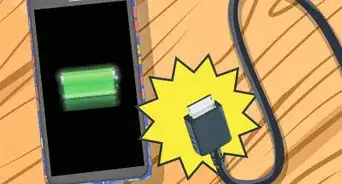
5Hook your phone up to your computer. When your phone is connected, you will be able to put the image onto it.
-
6Put the image onto your phone.
- Open up documents.
- Locate the picture that you want.
- Drag and drop it to your phone.
-
7Find the image on your phone.
-
8Set it as your wallpaper, with the method your specific phone has for doing this. These steps and buttons will vary.Advertisement


Community Q&A
-
QuestionCan we also use the laptops for making the wallpaper?
 Community AnswerYes, you can. If you search online for "wallpaper maker for laptop", go and start making the wallpaper, to suit any size PC, laptop or phone.
Things You'll Need
- images to use on your cellphone
- cell phone
- USB cord or email address attached to your cell phone's imaging-text message service
About This Article
Advertisement