X
wikiHow is a “wiki,” similar to Wikipedia, which means that many of our articles are co-written by multiple authors. To create this article, 14 people, some anonymous, worked to edit and improve it over time.
This article has been viewed 47,406 times.
Learn more...
MS paint is a common computer program, but is underrated. Here is how to make cool abstract art in less than 5 minutes.
Steps
-
1Remember this can only be done if you have the MS paint program. It's usually installed on PCs running Windows.
-
2Open Microsoft Paint. Go to the "start" button in the bottom left of your screen if you have a PC. Click on it. A screen should pop up. Click on "all programs" (may just say "programs") and another screen should appear. Go to "Accessories" and go down to "Paint". Click on it. You are now in MS paint.Advertisement
-
3Look at the upper left of the screen. Place your cursor over the diagonal line icon (it should say "line").
-
4Play around with the line tool and get used to it. Then draw different shapes (they should overlap), making sure that all the lines are connected (if you drew a square make sure there aren't any gaps in the corners). Leave space around the edges of the shapes.
-
5After you finished it, it should look like a jumble. Click on the little paint bucket icon (it will say "fill with color"). Chose black as your color. Fill the area around the shapes in with black.
-
6Go crazy. Using the paint bucket, fill in your shapes with different colors. The more contrast, the more eye-catching.
-
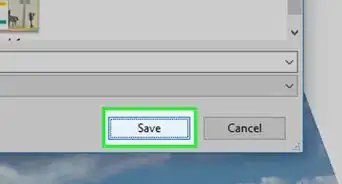
7Save, and show your friends.Advertisement


Warnings
- This might not look good to everybody. Do what you think looks best.Thanks!
Advertisement

-Step-29.webp)





About This Article
Advertisement

-Step-29.webp)