wikiHow is a “wiki,” similar to Wikipedia, which means that many of our articles are co-written by multiple authors. To create this article, 10 people, some anonymous, worked to edit and improve it over time.
This article has been viewed 61,420 times.
Learn more...
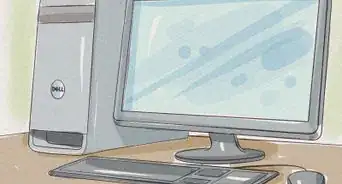
Within the context of personal computing, the term "peripheral" refers to devices that connect to computers through external ports, such as printers, audio speakers, web cameras, routers, modems, card readers and exterior hard drives. Proper maintenance of computer peripherals varies widely by type and should be performed as recommended by the manufacturer. This article provides information on the most frequently suggested and universally applicable tasks and practices recommended for maintaining peripheral devices.
Steps
-
1Update the device firmware every 6 months. The term firmware refers to the software program used by the device's components to communicate with the network and perform the various tasks required to accomplish its primary function. Manufacturers are continually offering firmware updates for computer peripherals that can significantly enhance the performance of any peripheral device.
- Navigate to the manufacturer's website and determine the location of the firmware downloads page. This page typically can be accessed from the "downloads" or "customer support" links located on the manufacturer's home page.
- Provide the required information when prompted. In most cases, you will need to provide the name and model number of the device, as well as the operating system installed on your computer, in order to locate the correct firmware update.
- Follow the instructions provided for downloading and installing the firmware update. Once downloaded, the installation wizard will guide you through the process of installing the firmware update.
-
2Clean peripheral devices as needed. Dirt, dust and debris can impact the performance of peripheral devices.
- Power down the device and disconnect it from the computer prior to cleaning. Neglecting to do so could cause damage to peripheral devices.
- Use a can of compressed air to blow off dust particles and other debris from the exterior of the device.
- Use a damp paper towel to wipe away any dust particles that remain after using the compressed air. Use a cotton swab lightly dipped in rubbing alcohol to remove grime and dirt from inside cracks, seams and other hard to reach places.
- Use a microfiber cloth to clean LCD displays, camera lenses and device control panels. Do not use multi-purpose cleaners, which can cause serious damage to control panels, lenses and other types of displays on peripheral devices.
-
3Follow the recommended maintenance schedule as directed by the manufacturer. This information can typically be found in the operating manual included with documentation that came with the device at the time of purchase.
-
4Adhere to the manufacturer's recommended best practices for use. These recommendations will vary by product and manufacturer. However, some of the more common examples include the following practices.
- Power down or turn off the device when not in use. It is almost always recommended to turn off peripheral devices when not being used. When left on, devices, such as printers and hard drives, will wear out much more quickly.
- Protect peripheral devices from moisture and extreme heat. Stacking devices, placing them too close to other devices or heat sources, and storing devices in moist or humid environments can cause significant damage.
-
5Use the recommended device settings. Follow the operating instructions specific to the task the device is being used for. For example, when printing photos from a multi-function printer, confirm that you are using the correct settings and media as recommended by the manufacturer. Likewise, remember to change the settings back before printing regular documents.
-
6Use only the type and quality of media recommended by the device manufacturer. Peripheral devices are designed to work with specific types of media. Attempting to use media other than that recommended by the manufacturer can seriously damage the device and often will void any warranties.
-
7Keep device media in a well protected, low traffic area. Device media is easily damaged. Media like memory cards, disks, ink cartridges and paper should be stored in a cool, clean, dry space.


Community Q&A
-
QuestionHow do I clean the peripherals?
 Community AnswerIt would help if you mention specifically what peripherals. Generally, you should use a microfiber dust cloth and wipe everything down. Don't use ammonia based cleaners (the blue liquid) as the ammonia will destroy the screened-on letters of the keyboard and other peripherals. Use a damp cloth or paper towel to wipe off very dirty areas, followed by the microfiber towel.
 -
QuestionWhat is the main step taken to care a computer peripherals?Community AnswerThe best way to maintain peripherals is to keep them clean and free of dust.
Things You'll Need
- Compressed air
- Microfiber cloth
- Rubbing alcohol
- Cotton swabs
- Paper towels