Explore this Article
X
wikiHow is a “wiki,” similar to Wikipedia, which means that many of our articles are co-written by multiple authors. To create this article, volunteer authors worked to edit and improve it over time.
This article has been viewed 13,962 times.
Learn more...
If you need to send a letter to several people, however would like to make it different for each person, then Mail Merge can be very useful. There are several ways to use Mail Merge. You can use a list from an Access Database for this.
Steps
-
1Open Access Database.
-
2Click 'Blank Desktop Database'.Advertisement
-
3Name your file and then click 'Create'.
-
4Click 'Design View' in the bottom right-hand corner of the screen.
-
5Name your table and click 'OK'.
-
6In the second row, type 'Name'.
-
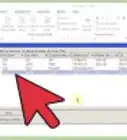
7Click 'Datasheet View' next to 'Design View' and then click 'Yes' when prompted to save.
-
8In the 'Name' column, type the names of the people you would like to write to, one in each line. (This can be as long as it has to be.)
-
9Save your database and close.
-
10Open Microsoft Word.
-
11Click 'Blank Document'.
-
12Click 'Mailings', 'Select Recipients' then 'Use an Existing List'.
-
13Locate your access database and click 'Open'.
-
14If your letter requires a return address, write it now.
-
15Begin your letter as you choose, then click 'Insert Merge Field'.
-
16Click 'Name' then click 'Insert'.
-
17Click 'Close'.
-
18Click 'Finish & Merge' and 'Print Documents'.
-
19Press 'OK'.
-
20Choose your printer. (If you don't want to print, but would just like to have the letters ready, print to an xps file.) Click 'OK'.
-
21Finish the rest of your letter, using Mail Merge for other variables.Advertisement


Things You'll Need
- Microsoft Office Word
- Microsoft Office Access
You Might Also Like
How to
Do a Mail Merge

How to
Learn Data Entry

How to
Hack a Database
How to
Reset SA Password in SQL Server
How to
Use Microsoft Access

How to
Delete Duplicate Records in Oracle

How to
Create a Database from an Excel Spreadsheet
How to
Make an Inventory Database in Access
 How to Order Alphabetically in SQL
How to
Add Data to a Pivot Table
How to
Make a Database Using MS Access

How to
Download Microsoft Access
How to
Link Tables in Access

How to
Import Web Data Into Excel on PC or Mac
Advertisement
About This Article
wikiHow is a “wiki,” similar to Wikipedia, which means that many of our articles are co-written by multiple authors. To create this article, volunteer authors worked to edit and improve it over time. This article has been viewed 13,962 times.
How helpful is this?
Co-authors: 3
Updated: October 21, 2021
Views: 13,962
Categories: Microsoft Word | Databases
Advertisement