This article was co-authored by wikiHow Staff. Our trained team of editors and researchers validate articles for accuracy and comprehensiveness. wikiHow's Content Management Team carefully monitors the work from our editorial staff to ensure that each article is backed by trusted research and meets our high quality standards.
The wikiHow Tech Team also followed the article's instructions and verified that they work.
This article has been viewed 32,112 times.
Learn more...
This wikiHow teaches you how to use the Skype command lines to remove a chat member from a group conversation.
Steps
-
1Open Skype on your computer or mobile device. You can remove a chat member from a group conversation on all platforms, including Android, iOS, Mac, Windows, and Skype Web.
- If you're not automatically signed into Skype on your device, sign in with your username and password.
-
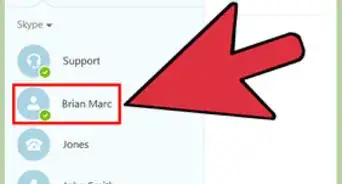
2Open a group chat. Find the group chat you want to moderate in your chats list, and open the conversation in full-screen.
- If you're using Mac, Windows, or Skype Web, your chats list will be on the left-hand side of your window.
- If you're using a mobile device, Skype will open up to your Chats tab. If you're on a different page, tap the Chats tab at the top of your screen below your profile picture.
Advertisement -
3Click or tap the message field. It reads "Type a message here" at the bottom of the conversation.
-
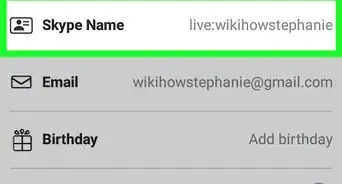
4Type /kick <username> in the message field. Replace <username> with a group member's username. It's also called their Skype Name or Skype ID. You can use this command line to remove any participant from a group chat.
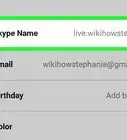
- The command line will not work if you're using a group member's full name instead of their username. You can find out any contact's username from their profile.
- You have to be a group admin to kick other participants.
-
5Send your message to the chat. Hit ↵ Enter on your keyboard, or tap the paper plane icon to send your command to the group chat. It won't appear in the conversation, but Skype will process your command and remove this user from the chat.Advertisement





About This Article

1. Open Skype.
2. Open a group chat.
3. Click or tap the message field.
4. Type a forward slash followed by "kick" and the person's username.
6. Send the message.