This article was co-authored by wikiHow Staff. Our trained team of editors and researchers validate articles for accuracy and comprehensiveness. wikiHow's Content Management Team carefully monitors the work from our editorial staff to ensure that each article is backed by trusted research and meets our high quality standards.
Learn more...
This wikiHow teaches you how to join Twitch on PC or Mac. Twitch is a popular streaming site for gamers. You can join Twitch through their website or desktop app. Once you join Twitch, you can explore different ways to use it, and even start your own stream.
Steps
Method 1
Method 1 of 2:Joining Twitch on the Website
-
1Go to https://www.twitch.tv/.
-
2Click Sign Up at the top right. The button will be purple.
- If you have an account already click Sign Up and skip the next step.
Advertisement -
3Sign up for an account with your email. You will need to create a username and password, and enter your date of birth to sign up.
- You can also use your Facebook account to sign up for Twitch.
-
4Click Sign Up to join Twitch. You’ll be signed in and can now comment while you watch your favorite streamers.
- You can also stream from your computer now that you’ve joined via desktop.
Advertisement


Method 2
Method 2 of 2:Joining Twitch with the Desktop App
-
1
-
2Click the download link for your OS. Windows users will click Download for Windows and Mac users click Download for macOS.
-
3Double-click the downloaded file to run the install wizard. Mac users will need to enter their administrator password to continue.
-
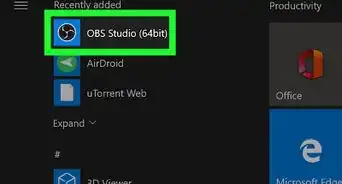
4Open the Twitch app on your computer.
-
5Create an account by clicking Sign Up on the right. Create a username and password. You will also need to provide an email.
- You can also use your Facebook account to sign up for Twitch.
- If you already have a Twitch account skip to the last step.
-
6Log into Twitch. You should now be able to join Twitch on your computer through their app.Advertisement








About This Article

1. Go to https://www.twitch.tv/.
2. Click Sign Up at the top-right.
3. Enter a username, password, your date of birth, and an email address.
4. Click Sign Up.
5. Sign in to start using Twitch.