X
wikiHow is a “wiki,” similar to Wikipedia, which means that many of our articles are co-written by multiple authors. To create this article, 9 people, some anonymous, worked to edit and improve it over time.
This article has been viewed 90,790 times.
Learn more...
Pottermore is J.K Rowling's Harry Potter website which allows Harry Potter fans to experience life as a Hogwarts student and read exclusive new content. Read this article to join Pottermore and get started!

Steps
-
1Enter Pottermore.com in your search engine. Alternatively, you can type Pottermore in your search engine.
-
2Click the blue sign up button. This is located on the right side.Advertisement
-
3Fill out the five steps. The instructions are available on-screen.
-
4Create a username. Write down the two words on the screen and press 'create my account'.
-
5Check your email address. In an email that you should have received, it will confirm and activate your account.
-
6Getting started. Press the Gringotts button on the map, and unlock your vault to find a sum of 500 Galleons.
-
7Press the Pottermore logo.
-
8Click on the Diagon Alley icon on the map.
-
9Click on your shopping list. This is located in the top-right corner. If you wish, buy your books and cauldron now.
-
10Click on the Magical Menagerie shop, and choose a pet. This pet will be your profile picture and you won't be able to change it, so choose wisely!
-
11Visit Ollivander's to get a wand! Answer the questions honestly, and get your wand!
- An arrow will show you to an Ollivander's icon once you buy a pet, so it should not be too difficult to find.
-
12Gain access to the Great Hall. An arrow will show you to the Great Hall, from which you can also access from the map by clicking the Pottermore icon. There, you will be able to get sorted out!
- Answer the quiz as honestly as you can, and rest assured you will get the house you truly belong in.
-
13Obtain a house. You may get the house you wanted, or a house you despise. If you really cannot relate to your house, try a few more (unbiased!) accounts and check out the quizzes. Many people sometimes get sorted incorrectly. Take your time, and be honest!
-
14Savor your Pottermore experience. Now, you are all set! Enjoy Pottermore, and the adventures that await!Advertisement


Community Q&A
-
QuestionWhat is the age limit to join?
 Community AnswerThe age limit is thirteen. If you are not thirteen, the registration will not occur.
 -
QuestionEvery time I click join, it keeps saying: "We're sorry. You are not eligible to register on this site. Your information has not been collected." Why?
 Community AnswerIt means that you must have typed in your birthday and you're under 13. The website won't let you join if you are under 13.
 -
QuestionThe Pottermore I opened was different from what you are describing, so which one is the one in your steps?Community AnswerThe one used here is the old one that has been closed.
-
QuestionHow can I find the old Pottermore website?
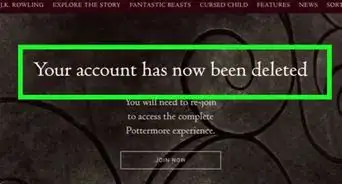
 Community AnswerThe old Pottermore Site is now deleted and replaced by another new website. You may still be sorted and choose your house.
 -
QuestionWhat can I do if I accidentally entered my birthday wrong?Community AnswerYou can fix it by going into the settings, or sometimes you have to just contact the creator.
-
QuestionHow do I join Pottermore if it says the link has been taken down permanently?Community AnswerIt hasn't, there's a new one now. Just type in pottermore.com. It is different from what is shown here, though.
-
QuestionHow do I verify my email address?Community AnswerJust refresh the website.There is a little arrow at the top of the page, next to the address.
-
QuestionWhy can I no longer create an account? It says that my information has not been gathered and that I'm not eligible.Community AnswerYou must have already put in your birth date and you are not yet 13. The website doesn't allow users under 13 years old.
-
QuestionCan I use my Gmail address to join Pottermore?Community AnswerYes. Any email you can access to activate your account, you can use. Just type it in, and you will be sent an activation email (as explained above).
-
QuestionWhat do I do if Pottermore won't let me confirm my date of birth?Community AnswerIt is probably because you are under the age of 13. If you are under 13, the system will not allow you to continue.











About This Article
Advertisement