X
wikiHow is a “wiki,” similar to Wikipedia, which means that many of our articles are co-written by multiple authors. To create this article, volunteer authors worked to edit and improve it over time.
This article has been viewed 57,270 times.
Learn more...
This wikiHow will teach you how to install virtual studio technology (VST) plug-ins. Luckily adding VST plug-ins to your favorite audio software isn't complicated. You'll just need to locate the VST plug-in directory you want to use using your audio software and then download the file. The steps below will walk you through exactly what you need to do.
Steps
-
1Install your favorite audio software on your computer. You can use anything from a full suite like Ableton Live to freeware such as Audacity or VST Host. This demonstration will use Ableton Live.
-
2Locate your VST plug-in directory. Some software has this built in to the program file, in which case you may skip this step and proceed to the next one. Ableton Live requires you to do this manually, like so
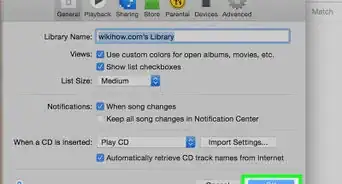
- Go to the "Options" menu and select "Preferences".
- Under "Preferences", select the "File Folder" menu.
- Click the "Browse" button next to "VST Plug-In Custom Folder".
- Select the folder you would like Ableton to use for VST Plug-Ins.
- Confirm that the "Use VST Plug-In Custom Folder" option is turned on, and the file path listed under "VST Plug-In Custom Folder" leads to the folder you just selected.
Advertisement -
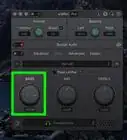
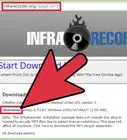
3Select your VST plug-in and download it. Most VST plug-ins come in the form of a Zip file.
-
4Move the Zip file from your download folder into your plug-in. directory
-
5Extract the plug-in to its own folder in your plug-in directory. Do this by right-clicking on the file.
-
6Delete the Zip file, or keep a backup in a different folder if you like.
-
7Open your audio software and confirm that the plug-in is functional. If you installed the plug-in while the software was open, you may need to restart.Advertisement




About This Article
Advertisement