X
wikiHow is a “wiki,” similar to Wikipedia, which means that many of our articles are co-written by multiple authors. To create this article, volunteer authors worked to edit and improve it over time.
This article has been viewed 19,027 times.
Learn more...
This wikiHow will explain the process of installing UC Browser on your PC. Since these steps use the offline installer, no network connection is required during the installation process. You'll only need a connection to download the initial installation file.
Steps
-
1Go to www.ucweb.com/desktop in your browser.
-
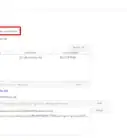
2Click DOWNLOAD from the top tab listing.
-
3Download the Offline Installer to your computer. Click the Offline Installer (50 MB) link from under the Download From UC header.
-
4Run the installer. Once the download has finished, open the setup file.
-
5Install UC Browser. Click the Install button to commence the installation. Allow some time for the installation to occur.
-
6Finished.