wikiHow is a “wiki,” similar to Wikipedia, which means that many of our articles are co-written by multiple authors. To create this article, 9 people, some anonymous, worked to edit and improve it over time.
This article has been viewed 141,107 times.
Learn more...
Grand Theft Auto 4 is one of the latest games from the GTA franchise to be available on the personal computer. This means that you can play and enjoy the game even without a gaming console. Though it’s not as easy compared to loading the game on either an Xbox or a Playstation, installing GTA 4 on a computer is still very simple. Plus, you only have to do this once.
Steps
Part 1
Part 1 of 3:Loading the Installer
Using a DVD Copy
-
1Open the DVD-ROM bay of your computer. Press the button on your computer’s DVD-ROM to open the drive bay.
-
2Place the DVD installer of GTA 4. Put your index finger in the middle hole of the disc and your thumb on the sides to hold it in place as you place it into the drive.
-
3Close the drive bay. Press the button on your computer’s DVD-ROM again to close the bay.
-
4Wait for the computer to read the disc. A small window will appear on the screen requiring you to choose a setup language.
-
5Select a language. Click the drop-down list and select the language you like to use. Click “OK” after selecting a language.
- The Rockstar Social Club window, which will install the game on your computer, will appear.


Using a Soft Copy
-
1Download a virtual DVD-ROM software that will be able to read the digital copy of the GTA Installer. A popularly used virtual DVD-ROM application is Daemon Tools (http://www.daemon-tools.cc/products/dtLite). Just click the download link on the web page to install the program onto your computer.
-
2Load the soft copy installer onto the virtual DVD-ROM. Double-click the game’s installer file and it should automatically open with and mount to the virtual DVD-ROM app.
-
3Open “My Computer” from your desktop. Inside you should see one of the virtual drives showing the GTA 4 installer.
-
4Run the virtual DVD-ROM. Right-click on this virtual DVD-ROM and select “Auto run” from the pop-up menu. A small window will appear requiring you to choose a setup language.
-
5Select a language. Click the drop-down list and select the language you like to use. Click “OK” after selecting a language.
- The Rockstar Social Club window, which will install the game on your computer, will appear.


Part 2
Part 2 of 3:Installing Rockstar Social Club (Initial Installation)
-
1Begin the installation. Press “Next” on the very first welcome screen of the Rockstar Social Club window to begin the installation.
-
2Accept the license agreement. Read the License Agreement displayed on the window and click on the “I accept the terms of the license agreement” radio button.
- Click the “Next” button again to continue.
-
3Choose where on your computer you want to install Rockstar Social Club. By default, the program will be installed inside the program file folder on your computer. Click the “Next” button again to start installing the Social Club to this location.
- If you prefer to install the program on a different location, just click the “Browse” button and navigate to where you want to have the game placed before you click the Next button.
-
4Wait for the Rockstar Social Club to finish installing. This will take only a few minutes.


Part 3
Part 3 of 3:Installing GTA 4
-
1Begin installation. Right after the Social Club finishes installing on your computer, the Grand Theft Auto 4 installation window will appear. Press “Next” on the very first welcome screen of the Grand Theft Auto 4 window to begin the installation.
-
2Click “Next.” A few notification messages for the Games for Windows Live and Rockstar Social Club will show up on the installation window. Just click the “Next” button to continue with the process.
-
3Select the setup type you want to use. Click the “Typical” radio button to choose this kind of setup and make sure that you install all the necessary files needed to run the game.
-
4Choose where on your computer you want to install the game. By default, the game will be installed inside the program file folder on your computer. Click the “Next” button again to start installing the game to this location
- If you prefer to install the program on a different location, just click the “Browse” button and navigate to where you want to have the game placed before you click the Next button.
-
5Wait for the game to install. It will take a few minutes to complete the installation. Once you’re done, you can launch the game and start playing Grand Theft Auto 4.
- During the middle of the installation process, you’ll be asked to insert the second CD of the installer, just follow the Part 1 mentioned above for the DVD or soft copy installer to continue the process.


Community Q&A
-
QuestionMy GTA 4 is taking a very long time to extract files and install. Is this normal?
 Community AnswerIt depends on how long. Around 30 minutes is standard (I believe). If it's taking more than 2 hours, something could be wrong.
 -
QuestionHow do I remove the GTA 4 fatal error?Community AnswerReturn the game to the place where you purchased it.
-
QuestionWhat is a soft copy?
 Community AnswerA soft copy is a file that is in an electronic environment, such as an attachment on an email. A hard copy is printed on a paper and can be physically held.
 -
QuestionWhat are the minimum requirements for installing GTA 4?
 Community AnswerProcessor: Intel Core 2 Duo 1.8 Ghz, AMD Athlon X2 64 2.4 Ghz. Memory: 1.5 GB. Free hard drive Space: 16 GB. Video: 256 MB NVidia 7900 / 256 MB ATI X1900. DirectX 9-compatible sound card.
 -
QuestionHow do I get a serial key?Community AnswerThis will have come with the game upon purchase.
-
QuestionHow do I get Rockstar social club?Community AnswerSend in the subscription card you found in the magazine and ship it back to them.
-
QuestionDoes GTA 4 need an Internet connection?Community AnswerYes. Since the game itself is quite big, it has to have an internet connection to get some files off the server.
-
QuestionHow can I download GTA 4 for Android?
 Denzel Dominic CalicaCommunity AnswerThere is no APK format for Grand Theft Auto 4, but there is an APK format for Grand Theft Auto San Andreas. Look in your app store.
 -
QuestionHow can I play G.T.A. 4 offline?Community AnswerTo do this you would have to buy the game and install it on your Xbox or PS4. You need to be online to install it, but then you can be offline and still play it.
-
QuestionI finished the installation process, but now it is asking for a license key. What is a license key and how do I get one?Community AnswerA license key is an anti-piracy security method used by many developers. You can find your license key on the back of the cartridge.




About This Article
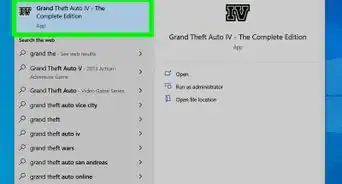
To install GTA 4 using a DVD copy, place the DVD in your computer’s DVD-ROM bay and close it. Then, wait for your computer to read the disk, choose a program to run it, and select which language you want to install. Next, Rockstar Social Club should pop up so you can accept their terms and install their software. Finally, Grand Theft Auto 4’s installation window will appear, where you can choose where to install the game and wait for the game to download. Read more to learn how to download the software using a soft copy!